This appendix contains an alphabetical list of all the error messages that can be displayed by FDDIXPress drivers, SMT commands, and the SMT module. The error messages are divided into three sections:
The error messages in this appendix are those that are unique to FDDIXPress. Standard system error messages, even when caused by the FDDIXPress code, are not included.
With each error message is a discussion of the problems that may cause the message. The list contains only messages that indicate an error or problem; it does not contain informational messages that occur during normal operation.
Messages are alphabetized according to the following rules:
Each message is alphabetized by the numerals (0–9) and letters (a–z) of the message's text. Numerals precede letters. Capitalization makes no difference. (Figure A-1 illustrates the text of an error message.)
Nonletters (for example, - or %) and blank spaces are shown in the text of the message, but are ignored in alphabetization. For example, the message sm_open appears between smnet and smp.
When an error message includes an item that the software specifies differently for each instance of the message (a variable), this item is displayed in italic font and labeled with a generic name (for example, filename). The generic names are skipped for alphabetization purposes. For example, the error message goofy not responding is located among the “n” listings as hostname not responding. Common generic names used in this listing include hostname, interfacename, phyID, version#, userentry, systemmessage, digit, filename, and hexnumeral.

Note: If you cannot find an error message in the listing, identify potential fill-in words, then look up the message without those words. The creator of each message is listed, in angled brackets, below the text of the message: (<creator>).
FDDIXPress error messages created by the SMT daemon (smtd) and the SMT commands are written into the file /var/adm/SYSLOG or displayed at the terminal; some messages appear in both places. Within the SYSLOG file, each message is preceded by the date, time, hostname, the name of the process that created the message, and its process ID number, as illustrated in Figure A-1. Only the text of the error message is included in the alphabetic list that follows.

A twist in the fiber was detected. The software was expecting an A-to-B connection. Follow the instructions in the section “Checking Physical Connections” in Chapter 4 to fix the cable or connection problem.
A general error occurred <smtd>
The SMT daemon has encountered a problem with its MIB information. This may indicate that the MIB file (/etc/fddi/smtd.mib) is corrupted. Make a new copy from the backup, then use smtconfig to stop and restart the network interface. This also can indicate that the requesting SMT module has requested invalid MIB information.
ANNOUNCE: Illegal FC=hexnumeral <smtd>
The SMT daemon was attempting to send an announce frame, but found that the frame control (FC) value, which was created by another module of the software, is not supported.
interfacename.#: arm failed <smtd>
While attempting to configure and bring up the SMT daemon, the software was unable to set a new interrupt level in the operating system for the network interface indicated.
Bad access type (token): On line digit <smtd>
An ACCESS entry in the MIB file (/etc/fddi/smtd.mib) contains a type of access (token) not recognized by the software. The problem is on the line of the file indicated. Make a new copy of the file from a backup copy, then use smtconfig to stop and restart the network interface.
Bad CONF_SIF frame type(digit) received <smtd>
An illegal Configuration SIF frame was received; the frame was not of a known type (for example, REQUEST and RESPONSE).
Bad echo frame type(digit) received <smtd>
An illegal ECF (ECHO) frame was received; the frame was not of a known type (for example, REQUEST and RESPONSE).
Bad FC=hexnumeral recv <smtd>
An FDDI frame was received with an illegal FC (frame control) value in the header. The illegal two-symbol (2-byte) FC value is indicated in the message as a hexadecimal number.
Bad format for OBJECT TYPE (token): On line digit <smtd>
An object (token) in the MIB file (/etc/fddi/smtd.mib) was an unrecognized type. The problem is on the line of the file indicated. Make a new copy of the file from a backup copy, then use smtconfig to stop and restart the network interface.
Bad format (token): On line digit <smtd>
When reading the MIB file (/etc/fddi/smtd.mib), a formatting entry was not found when expected. Instead, token was encountered. The problem is on the line of the file indicated. Make a new copy of the file from a backup copy, then use smtconfig to stop and restart the network interface.
bad header <smtd>
This is a minor internal error not requiring any action on your part. An invalid packet header was detected.
remotehost -- BAD type len=digits <smtd>
The SMT software could not parse an entry in a frame received from the station indicated (remotehost). The illegal entry was of the type and length indicated. This indicates an incompatibility between the two stations. You may want to report this problem to the Silicon Graphics Technical Assistance Center.
Bad object identifier: On line digit <smtd>
When reading the MIB file (/etc/fddi/smtd.mib), an entry (object) on the line of the file indicated could not be properly identified. Make a new copy of the file from a backup copy, then use smtconfig to stop and restart the network interface.
Bad operator: On line digit <smtd>
An unrecognized entry was found in the MIB file (/etc/fddi/smtd.mib) on the line indicated. Make a new copy of the file from a backup copy, then use smtconfig to stop and restart the network interface.
Bad OP SIF frame type(digit) received <smtd>
An illegal Operation SIF frame was received; the frame was not of a known type (for example, REQUEST and RESPONSE).
BAD parameter type=hexnumeral len=digit <smtd>
As the SMT daemon was processing a packet, it encountered an unknown parameter of the type and length indicated. The invalid parameter was skipped; the rest of the packet was processed.
bad parse of community <smtd>
This is a minor internal error not requiring any intervention. An invalid field was found in the header of a received packet.
Bad parse of object id: On line digit <smtd>
A NULL object identifier was encountered unexpectedly in the MIB file (/etc/fddi/smtd.mib) on the line of the file indicated. Make a new copy of the file from a backup copy, then use smtconfig to stop and restart the network interface.
Bad parse of object type: On line digit <smtd>
A NULL object type was encountered unexpectedly in the MIB file (/etc/fddi/smtd.mib). The problem is on the line of the file indicated. Make a new copy of the file from a backup copy, then use smtconfig to stop and restart the network interface.
bad parse of version <smtd>
This is a minor internal error not requiring any intervention. An invalid version was found in the header of a received packet.
bad phy/mac count
The number of PHYs and MACs defined in the file /etc/fddi/smtd.conf is invalid. For example, four PHYs cannot be defined for one MAC. See Appendix B for descriptions of valid entries for this file.
Bad status (token): On line digit <smtd>
An unrecognized type of status (token) was encountered in the MIB file (/etc/fddi/smtd.mib) on the line of the file indicated. Make a new copy of the file from a backup copy, then use smtconfig to stop and restart the network interface.
Bad syntax (token): On line digit <smtd>
An entry (token) in the MIB file (/etc/fddi/smtd.mib) could not be parsed (understood) and is probably improperly put together. The problem is on the line of the file indicated. Make a new copy of the file from a backup copy, then use smtconfig to stop and restart the network interface.
bad una <smtring>
A received packet contained a missing or malformed upstream neighbor address field. If the message occurs frequently, check the stations upstream.
bad una purged <smtring>
A received packet contained a missing or malformed field and was discarded. The problematic field contained the address of the upstream neighbor (una). The frame has been discarded.
userentry: bad value <smtconfig>
The netmask option of the smtconfig command failed. The entry is not a legal IP address represented in standard format (decimal, dot notation). See dotted decimal notation in the Glossary. A zero address (0.0.0.0) is not legal.
B<->B twist detected <smtd>
A twist in the fiber was detected. The software was expecting an A-to-B connection. Follow the instructions in the section “Checking Physical Connections” in Chapter 4 to fix the cable or connection problem.
bind <smtinfo>, <smtd>, <smtping>, <smtd>
When attempting to set up a reception socket, the bind system or library call failed. During a boot or restart of the network interface, this condition is common and does not indicate a malfunction. However, if the message occurs frequently during normal operation, it indicates a problem with the operating system. For example, it may be overloaded.
bind port(interfacename) <smtping>
When attempting to set up a transmission socket to the indicated network interface, the bind system call failed. During a boot or restart of the network interface, this condition is common and does not indicate a malfunction. However, if the message occurs frequently during normal operation, it indicates a problem with the operating system. For example, it may be overloaded.
buildheader <smtd>
This is a minor internal error not requiring any intervention. An error was detected when attempting to create a packet header.
buildint <smtd>
This is a minor internal error not requiring any intervention. An error was detected when attempting to create an SMT packet.
buildstring <smtd>
This is a minor internal error not requiring any intervention. An error was detected when attempting to build an SMT packet.
build una failed <smtring>
The SMT software was unable to build the upstream neighbor's address from the response frame received. This error probably indicates an incompatibility between the two machines. This error is not serious; however, you may want to report the problem to the Silicon Graphics Technical Assistance Center.
Can't find variable name in this MIB <smtd>
The SMT daemon has encountered a problem with the MIB. This message probably indicates an incompatibility within the different FDDIXPress software files and modules. For example, the SMT daemon and the FDDI driver were started at different times. Use the smtconfig command to stop then restart the FDDI network interface (which also starts the SMT daemon).
This can also indicate that the MIB file (/etc/fddi/smtd.mib) is corrupted. Make a new copy from the backup, then use smtconfig to stop and restart the network interface. In rare circumstances, this can indicate that the requesting SMT has requested invalid MIB information.
Can't get response from daemon <smtconfig>, <smtping>, <smtring>, <smtstat>
When attempting to start, the command could not contact the SMT daemon (smtd), indicating that the SMT daemon probably is not running. Use smtconfig to stop and restart the network interface (which restarts the SMT daemon).
Can't get smtd version <smtinfo>, <smtping>, <smtring>, <smtstat>
The version of the SMT daemon cannot be determined. This may indicate that the FDDI interface is disabled or that the SMT daemon was stopped then restarted manually. Use smtconfig to stop and restart the network interface.
can't open configurationfilename <smtd>
While configuring itself, the SMT daemon was unable to open the file /etc/fddi/smtd.conf. This may indicate that the file is missing. Verify its presence in the /etc/fddi directory. If the file does exist, it may be corrupted. Make a new copy of it from your backup copy.
conf: bad entry: fieldname <smtd>
A problem was encountered during configuration of the SMT daemon and FDDI network interface. The field name displayed in the message was found in the file /etc/fddi/smtd.conf, but is not recognized by the configuration software. See Appendix B for descriptions of proper formatting for this file.
conf: bad format: linenumber <smtd>
A problem was encountered during configuration of the SMT daemon and FDDI network interface. An entry in the file /etc/fddi/smtd.conf is formatted improperly or the file is missing a required entry at the line indicated. See Appendix B for descriptions of proper formatting for this file.
Examples of formatting errors include the following:
forgetting to terminate each station section with ENDSTATION
forgetting to terminate each MAC section with ENDMAC
forgetting to terminate each PHY section with ENDPHY
allowing an uncommented entry to contain less than three items: the field's name, an equal sign (=), and a value
conf: bad mac addr: badaddress <smtd>
A problem was encountered during configuration of the SMT daemon and FDDI network interface. The value entered for the MAC address (addr) in the file /etc/fddi/smtd.conf is not a valid entry. See Appendix B for descriptions of valid entries for this file.
conf: bad MAC entry: name not set <smtd>
A problem was encountered during configuration of the SMT daemon and FDDI network interface. The line containing the name of the network interface was missing from one of the MAC sections in the file /etc/fddi/smtd.conf. See Appendix B for descriptions of required entries for this file.
conf: bad phy_ct=: illegalentry <smtd>
A problem was encountered during configuration of the SMT daemon and FDDI network interface. The number of PHYs specified (phy_ct field) in the file /etc/fddi/smtd.conf is not a valid entry. See Appendix B for descriptions of valid entries for this file.
conf: bad sid: stationID <smtd>
A problem was encountered during configuration of the SMT daemon and FDDI network interface. The value entered in the file /etc/fddi/smtd.conf for StationID is not a valid entry. See Appendix B for descriptions of valid entries for this file.
conf: bad SRF address: address <smtd>
A problem was encountered during configuration of the SMT daemon and FDDI network interface. The value entered for the SRF multicast address (sr_mid) in the file /etc/fddi/smtd.conf is not a valid entry. See Appendix B for descriptions of valid entries for this file.
conf: bad station entry: text <smtd>
A problem was encountered during configuration of the SMT daemon and FDDI network interface. Some undefined problem has been encountered within a station section in the file /etc/fddi/smtd.conf. The text indicated in the message identifies the item in the file that could not be processed. See Appendix B for descriptions of valid entries for this file.
interfacename: config missing <smtd>
While configuring itself with the file /usr/etc/smtd.conf, the SMT daemon did not find a required configuration parameter for the MAC specified in the message. See Appendix B for details about this configuration file.
conf: ignored 3rd phy for interfacename <smtd>
During configuration of the SMT daemon and FDDI network interface, a value for a nonexistent third PHY was detected in the file /etc/fddi/smtd.conf. The entry has been ignored. Processing has continued.
conf: primary missing for interfacename <smtd>
During configuration of the SMT daemon and FDDI network interface, a problem was encountered. The primary path for the MAC (network interface) indicated was not found. This could indicate that the PHY sections for that MAC and/or the phy_ct field have been set improperly in the file /etc/fddi/smtd.conf. See Appendix B for descriptions of valid entries for this file.
conf: secondary missing for interfacename <smtd>
A problem was encountered during configuration of the SMT daemon and FDDI network interface. The secondary path for the MAC (network interface) indicated was not found. This could indicate that the PHY sections for this MAC and/or the phy_ct field have been set improperly in the file /etc/fddi/smtd.conf. See Appendix B for descriptions of valid entries for this file.
conf: user data too long <smtd>
A problem was encountered during configuration of the SMT daemon and FDDI network interface. The value entered as user data (user_data) in the file /etc/fddi/smtd.conf contains too many characters. See Appendix B for descriptions of valid entries for this file.
couldn't bind remotesocket <smtd>
A bind system call failed. This indicates a problem with the operating system.
couldn't get fdditree <smtd>
The SMT daemon could not read the MIB file (/etc/fddi/smtd.mib). This could indicate that the file is missing. Verify its presence. This message could also indicate that the file is corrupted. Make a new copy of it from a backup, then use smtconfig to stop and restart the network interface.
couldn't get hostent <smtd>
The gethostbyname system call failed for localhost. This could indicate that the localhost information about the local station (the station where smtd was invoked) is missing from the local /etc/hosts file. Verify that the following line exists in the /etc/hosts file:
127.0.0.1 localhost localhost.x.x.x loghost
The alternate format is this:
127.1 localhost localhost.x.x.x loghost
x.x.x contains the station's domain information.
couldn't get hostname <smtring>
When attempting to set up a reception socket, the gethostname system call failed. This may indicate a problem with the operating system. For example, it may be overloaded. This may indicate that the station specified on the smtring command line was not found in the hosts database (either the local /etc/hosts file or the NIS server).
couldn't get localport <smtd>
The SMT daemon was unable to obtain a local communication port. This indicates a problem with the operating system.
couldn't get remotesocket <smtd>
A socket system call failed. This indicates a problem with the operating system.
couldn't get socket name <smtd>
A getsockname system call failed. This indicates a problem with the operating system.
couldn't open remote SNMP session <smtd>
The SMT daemon could not open a session with an SNMP module. This may indicate that the SNMP daemon is not running. This may also indicate that the file descriptor obtained for the port is invalid.
couldn't open SNMP session <smtd>
The SMT daemon could not obtain a communication channel (session). This indicates a problem with FDDIXPress software. Reboot the system. If the problem persists, reinstall the software shipped with your FDDI board.
Denied REQUEST: bad version digit <smtd>
The SMT daemon was attempting to respond to an FDDI request frame; however, it discovered that the received frame was encoded in an unsupported version of the SMT protocol. Use the “SMT Information” report of the smtstat -s command to discover the range of supported versions on this station.
DUP! <smtping>
The number of duplicate response frames was excessive. This indicates a problem at the remote station, except when the smtping command has been invoked with a broadcast address (ff:ff:ff:ff:ff:ff), in which case duplicate frames are normal.
Encapsulation Routing <smtconfig>
A setsockopt system or library call failed. This indicates a problem with the operating system. For example, it may be overloaded.
Error: interfacename PHYindex: actionname errormessage <smtd>
The specified action (actionname) caused an error as detailed in the text of errormessage for the interface and PHY indicated. This indicates something wrong with the SMT software. Reboot the system. If the problem continues, reinstall the software that was shipped with the FDDI board. If the problem persists, call the Silicon Graphics Technical Assistance Center.
Error building packet
The SNMP daemon could not build an SMT packet as requested (for example, the size may be too large). The requested packet was not sent.
Error in config file: can't decode section delimiter: delimiter <smtd>
While configuring itself, the SMT daemon could not parse (understand) the section delimiter (as indicated in the message) in the file /usr/etc/smtd.conf. See Appendix B for details about this configuration file.
Error in config file: too many stations defined: max=digit <smtd>
While configuring itself, the SMT daemon found too many stations defined in the file /usr/etc/smtd.conf. The maximum number of stations allowed is defined in the message. See Appendix B for details about this configuration file.
Error in config file: unknown section delimiter: delimiter <smtd>
While configuring itself, the SMT daemon could not parse (understand) the section delimiter (as indicated in the message) in the file /usr/etc/smtd.conf. See Appendix B for details about this configuration file.
Error: smt phyID: actionname errormessage <smtd>
The specified action (actionname) caused an error as detailed in the text of errormessage for the interface and PHY indicated. This indicates something wrong with the SMT software. Reboot the system. If the problem continues, reinstall the software that was shipped with the FDDI board. If the problem persists, call the Silicon Graphics Technical Assistance Center.
event 0xhexnumeral tlvget failed <smtd>
It was not possible to parse and build the SMT event identified by the hexadecimal numeral.
fatal path rid mismatch <smtd>
The SMT daemon found an inconsistency in the MAC, PHY, and path configurations (rid = resource identification, a software variable). Use smtconfig to stop, then restart the network interface (and the SMT daemon) so that it can rebuild its information. If the problem persists, the MIB file may be corrupted; create a new /etc/fddi/smtd.mib file from a backup copy, then use smtconfig to stop and restart the network interface.
frame too large: len = digits <smtd>
An illegal FDDI frame was received. The frame had too many bits.
fs_reg: socket <smtd>
A socket system or library call failed. This may indicate a problem with the operating system.
gethostbyname <smtring>
The gethostbyname system or library call failed for one of the stations. This could indicate that the station's network connection name has not been added to the hosts database (NIS service or local /etc/hosts file), or that the station's IP address is invalid. This error could indicate a problem with the NIS server. For example, it may be overloaded or not currently functional.
get localhost failed <smtping>
When attempting to set up a reception socket, the gethostbyname system call failed for localhost. This could indicate that localhost information about the local station (the station where smtping was invoked) is missing from the local /etc/hosts file. Verify that one of the following lines exists in the /etc/hosts file:
127.0.0.1 localhost localhost.x.x.x loghost
The alternate format is as follows:
127.1 localhost localhost.x.x.x loghost
x.x.x contains the station's domain information.
getsockname <smtinfo>
A getsockname system or library call failed. This indicates a problem with the operating system. For example, it may be overloaded.
getsockname failed(errornumber) <smtping>, <smtring>
When attempting to set up a reception socket on the local host, the getsockname system call failed. This indicates a problem with the operating system. For example, it may be overloaded.
gettimeofday failed <smtd>
The gettimeofday system or library call failed. This indicates a problem with the operating system. For example, it may be overloaded.
init_mib: mibfile = NULL <smtd>
An internal error was detected when the SMT daemon attempted to initialize the MIB file (/etc/fddi/smtd.mib). This may indicate that the file is corrupted or missing. Create a new MIB file using the command lines below. If you do not have a backup copy (/etc/fddi/smtd.mib.orig) of the MIB file, reinstall your FDDIXPress software.
% /sbin/su
# cd /etc/fddi
# /bin/cp smtd.mib.orig smtd.mib
# /usr/etc/smtconfig FDDIinterfacename down up
interfacename: phy info missing <smtd>
While reading the file /usr/etc/smtd.conf to configure itself, the SMT daemon did not find a required configuration parameter for the MAC (network interface) and PHY indicated in the message. The phy variable will be replaced by the word primary or secondary, where primary usually identifies port B and secondary port A. See Appendix B for details about this configuration file.
Invalid device name: interfacename <smtinfo>, <smtping>, <smtring>, <smtstat>
The interface name specified for the SMT command using the -I option was not recognized as an FDDI interface at that station. Verify (with the netstat -ina command) that the interface name you specified exists on that station and is correctly typed on the command line. You also can use the hinv command to identify the station's FDDI hardware and its associated network interface.
invalid event 0xhexnumeral ignored <smtd>
The SMT event identified by the hexadecimal numeral is not recognized, so it has been ignored.
characters: invalid PCM line state <smtmaint>
The characters indicated are not valid. They do not correspond to any physical connection (PCM) line state recognizable by smtmaint. Valid line states are limited to the values specified in “Verifying a Station's PCM Functionality” and on the smtmaint man page.
digit: invalid PHY index <smtmaint>
The decimal number indicated is not a valid entry. The number was entered as the second parameter in the smtmaint command line, corresponding to a PHY. The entry must be a decimal digit of 0 or 1.
characters is a reserved word: On line digit <smtd>
The entry indicated by characters has been improperly used in the MIB file (/etc/fddi/smtd.mib). The problem is on the line of the file indicated. Make a new copy of the file from a backup copy, then use smtconfig to stop and restart the network interface.
invalid response type: type <smtinfo>
The responding SMT module sent information of an invalid type. The type, which must be RESPONSE, is specified within one of the fields of the response. This indicates that the responding station is either dysfunctional or not behaving in conformance with the FDDI SMT protocol.
ioctl (requestparameter) <smtconfig>
During configuration of the SMT daemon and network interface, an ioctl system or library call failed for the indicated requestparameter. This may indicate an invalid configuration parameter (user entry) on the smtconfig command line. The configuration has failed; the parameter has not been changed.
The following requestparameters indicate the invalid user entry:
SIOCGIFFLAGS network interface name
SIOCSIFADDR inet (IP or internet) address
SIOCSIFNETMASK netmask
SIOCSIFBRDADDR broadcast address
SIOCSIFHEAD make network interface primary
SIOCSIFDSTADDR destination address
set metric route metric
This error message may also indicate a problem with the operating system. When the requestparameter is not listed above, this message usually indicates a problem with the operating system.
interfacename, phyID: ioctl(requestparameter) <smtd>
An ioctl system or library call with the requestparameter indicated failed. The call was made for the network interface and PHY indicated. This indicates a problem with the operating system.
interfacename, phyID: LEM_FAIL <smtd>
This is a serious error condition. The SMT daemon has detected too many link errors occurring at the network interface and PHY indicated. When this message is displayed, the SMT daemon is not able to reestablish the ring, so the indicated port is not functioning. The problem lies between this station and the upstream neighbor. Follow the instructions in sections “Checking Physical Connections” and “Link-Level Errors”.
interfacename.digit: LER alarm = currentLER <smtd>
The Link Error Alarm was activated for the network interface (MAC address) and PHY (digit) specified in the message, indicating that the link error rate (LER) exceeded the alarm threshold. Follow the instructions in the section “Checking Physical Connections” in Chapter 4 to fix the cable problem.
localhost <smtinfo>
A gethostbyname system or library call failed when using the localhost parameter. This could indicate that the localhost information about the local station (the station where smtinfo was invoked) is missing from the local /etc/hosts file. Verify that the one of the following lines exists in the /etc/hosts file:
127.0.0.1 localhost localhost.x.x.x loghost
An alternate format is this:
127.1 localhost localhost.x.x.x loghost
x.x.x completes the address.
local port <smtd>
A getsockname system call failed. This indicates a problem with the operating system.
mac dump for station failed <smtinfo>, <smtping>, <smtring>
An attempt to obtain information from another station failed. This may indicate the SMT daemon on the local machine has failed or the interface is disabled. Use the smtconfig command to stop and restart the FDDI network interface.
Malloc failed <smtd>
A malloc system or library call failed. This indicates a problem with the operating system when attempting to allocate memory.
map_open: mktemp failed <smtd>
In attempting to update the MIB, a mktemp system or library call failed to create a unique, temporary file. This may indicate that the operating system is overloaded.
map_smt: BAD command action <smtd>
The action (internal software command) specified when this routine was called is not a valid one. Another error message will provide more detail about the problem, including the name of the process that provided the invalid command. This indicates a problem with the SMT software. Reboot the system. If the problem continues, reinstall the software that was shipped with the FDDI board. If the problem persists, call the Silicon Graphics Technical Assistance Center.
map_smt: variable doesn't exist <smtd>
The specified variable caused an error. This indicates a problem with the SMT software. The MIB file may be corrupted. Make a new copy of /etc/fddi/smtd.mib from your backup copy. Reboot the system. If the problem continues, reinstall the software that was shipped with the FDDI board. If the problem persists, call the Silicon Graphics Technical Assistance Center.
map_smt: FDDI interface interfacename not found <smtd>
The indicated FDDI network interface is not known to the system. Another error message will provide more detail about the problem, including the name of the process that provided the invalid name. (The map_smt routine is an internal SMT routine called by many FDDIXPress processes.)
map_smt: Invalid action: action <smtd>
The specified action (internal software command) is not a valid one. This indicates something wrong with the SMT software. Reboot the system. If the problem continues, reinstall the software that was shipped with the FDDI board. If the problem persists, call the Silicon Graphics Technical Assistance Center.
Mib not initialized. Exiting <smtd>
An operating system error was detected. The MIB file (/etc/fddi/smtd.mib) could not be initialized. This may indicate that the file is corrupted or missing. Create a new MIB file using the command line below. If you do not have a backup copy (for example, /etc/fddi/smtd.mib.orig) of the MIB file, reinstall your FDDIXPress software.
% /sbin/su
# cd /etc/fddi
# /bin/cp smtd.mib.orig smtd.mib
# /usr/etc/smtconfig FDDIinterface down up
Mib table is bad. Exiting <smtd>
The MIB file (/etc/fddi/smtd.mib) could not be parsed. Make a new copy of the file from a backup copy, then use smtconfig to stop and restart the network interface.
Missing end of oid: On line digit <smtd>
The end of an entry (object) in the MIB file (/etc/fddi/smtd.mib) was missing. The problem was encountered on the line of the file indicated. Make a new copy of the file from a backup copy, then use smtconfig to stop and restart the network interface.
newiphase for interfacename failed <smtd>
The SMT daemon failed to configure and bring up (get running) the software for the network interface indicated in the message. This indicates that the network interface name is not known to the system. Use the command below to verify that the driver has been built into the operating system:
% /sbin/grep FDDIinterface /var/sysgen/master.c
FDDIinterface is ipg or xpi (without the final digit). If there are no entries for the FDDI interface (for example, if_ipgintr), use the /etc/autoconfig command to rebuild the operating system, then reboot to start using the new operating system.
If the problem persists, reinstall the software that was shipped with the installed FDDI board, rebuild the operating system, and reboot. If the message continues to be displayed, contact the Silicon Graphics Technical Assistance Center.
No end to oid: On line numeral <smtd>
The final entry in a series of an entries for an object in the MIB file (/etc/fddi/smtd.mib) was missing. The problem was encountered on the line of the file indicated. Make a new copy of the file from a backup copy, then use smtconfig to stop and restart the network interface.
No frame sent successfully during last # seconds <smtd>
A send system or library call has failed to complete successfully during the indicated period of time. This indicates a problem with the operating system.
No response from daemon: timed-out <smtd>
The SMT daemon has halted or quit. This indicates a problem with the FDDIXPress software files. Use smtconfig to stop and restart the FDDI network interface. If the problem persists, reboot the system to restart everything. If this does not solve the problem, reinstall the software shipped with your FDDI board. If the message continues to display, contact the Silicon Graphics Technical Assistance Center.
No SMT frames received for numeral seconds <smtd>
The SMT daemon has not received any SMT protocol frames within the number of seconds indicated, so the SMT daemon has reset the driver. This message can indicate the ring is totally quiet, which would be normal only when the station was the only one on the ring. It could indicate the station has been isolated onto a ring fragment. Check if any of this station's ports are wrapped. This message might indicate a problem with the board. Error messages created by the driver will help you identify this condition.
Not a sequence: On line digit <smtd>
When reading the MIB file (/etc/fddi/smtd.mib), an ASN.1 entry (object) was encountered, on the line of the file indicated, that was not a SEQUENCE type. Make a new copy of the file from a backup copy, then use smtconfig to stop and restart the network interface.
No terminating parenthesis (token): On line digit <smtd>
When reading the MIB file (/etc/fddi/smtd.mib), the SMT daemon found that a required parenthesis was missing on the line of the file indicated. Make a new copy of the file from a backup copy, then use smtconfig to stop and restart the network interface.
nt_send: rc=digit <smtd>
An attempt to send an NIF request frame failed. The reason for the failure is indicated by the reason code (rc). See the rc entry in this listing for the reasons associated with each code. The SMT daemon software is not functioning correctly. Reboot the system. If this error message continues to be displayed, reinstall the software. If the problem still persists, contact the Silicon Graphics Technical Assistance Center.
object identifier too long <smtd>
An invalid entry was found in the MIB file /etc/fddi/smtd.mib. This may indicate that the file is corrupted. Create a new MIB file and restart the network interface using the command lines below. If you do not have a backup copy (/etc/fddi/smtd.mib.orig) of the MIB file, reinstall your FDDIXPress software.
% /bin/su
Password: thepassword
# cd /etc/fddi
# /bin/cp smtd.mib.orig smtd.mib
# /usr/etc/smtconfig FDDIinterface down up
-p pattern ???: <smtping>
The smtping -p command specified characters that are not hexadecimal. Use only hexadecimal characters: 0 to 9 and a to f.
digits% packet loss <smtping>
The number of response ECHO packets received is less than the number of request ECHO packets sent. The loss is expressed as a percentage: the number of received packets divided by the number sent. Low percentages of packet loss are not usually a problem. The number that constitutes “low” is somewhat subjective. However, when the percentage of lost packets is greater than ten (10%) and when this symptom persists for over an hour, it is a good idea to investigate what is causing the loss. Follow the instructions in “Status Indicators and Symptoms”.
packet too short (number bytes) <smtping>
As smtping attempted to display the response packet, it discovered that the packet was shorter than the one it had sent. This may indicate that the responding station is creating malformed packets.
patterns must be specified as hex digits <smtping>
The pattern specified on the smtping -p command line contained characters that are not valid hexadecimal characters. The following characters are valid: 0, 1, 2, 3, 4, 5, 6, 7, 8, 9, a, A, b, B, c, C, d, D, e, E, f, F, and blank spaces.
Premature end of file: On line digit <smtd>
When reading the MIB file (/etc/fddi/smtd.mib), the SMT daemon found that an end-of-file indicator was encountered unexpectedly on the line of the file indicated. Make a new copy of the file from a backup copy, then use smtconfig to stop and restart the network interface.
interfacename.#: primary PC_UNKNOWN <smtd>
When attempting to configure and bring up a new network interface and SMT daemon, the software could not locate a primary PHY for the MAC. This can indicate a problem with the configuration file (/etc/fddi/smtd.conf) or with the board. See Appendix B for details about this configuration file. If the problem persists, contact the Silicon Graphics Technical Assistance Center.
rc
The reason codes (rc) are listed in Table A-1 with their hexadecimal and decimal (digit) representations.
Table A-1. Reason Codes Used in Error Messages
Reason Name | Hex Code | Decimal Code | Description |
|---|---|---|---|
RC_NOCLASS | 0x1 | 1 | Frame class not supported. Supported classes are NIF, SIF, ECF, RAF, ESF, and PMF. |
RC_NOVERS | 0x2 | 2 | Frame version not supported. |
RC_SUCCESS | 0x3 | 3 | Success. |
RC_BADSETCOUNT | 0x4 | 4 | Bad SETCOUNT. |
RC_READONLY | 0x5 | 5 | Attempt to change read-only parameter. |
RC_NOPARM | 0x6 | 6 | Requested parameter is not supported. |
RC_NOMORE | 0x7 | 7 | No more room or parameter for add or remove. |
RC_RANGE | 0x8 | 8 | Out of range. |
RC_AUTH | 0x9 | 9 | Authentication failed. |
RC_PARSE | 0xa | 10 | Parameter parsing failed. |
RC_TOOLONG | 0xb | 11 | Frame too long. |
RC_INVALID | 0xc | 12 | Unrecognized parameter. |
READ_MIB FAILED <smtd>
An internal error was detected when attempting to initialize the MIB file (/etc/fddi/smtd.mib). This may indicate that the file is corrupted or missing. Create a new MIB file using the command lines below. If you do not have a backup copy of the MIB file (/etc/fddi/smtd.mib.orig), reinstall your FDDIXPress software.
% /sbin/su
# cd /etc/fddi
# /bin/cp smtd.mib.orig smtd.mib
# /usr/etc/smtconfig FDDInetworkinterface down up
Recv Frame error <smtd>
An recv system or library call failed during reception of a request frame. This indicates a problem with the operating system.
recvfrom <smtd>
A recvfrom system or library call failed. This indicates a problem with the operating system.
REQUEST: Illegal FC=hexnumeral <smtd>
The SMT daemon was attempting to send a request frame, but found that the frame control (FC) value was for a class that does not allow request frames (for example, RDF).
REQUEST: Unsupported FC=hexnumeral <smtd>
The SMT daemon was attempting to send a request frame, but found that the frame control (FC) value, which was created by another module of the software, is not supported. For example, RDF requests were not supported in early versions of FDDIXPress.
Reset interfacename <smtd>
There is a problem with the FDDI board associated with the network interface indicated. An automatic reset is in progress. If this message appears infrequently, it does not indicate a problem. However, if it occurs frequently, follow the instructions in the section “Checking Physical Connections”. If the message continues to display frequently, contact the Silicon Graphics Technical Assistance Center.
resp_map: sendto <smtd>
The sendto system or library call failed. This may indicate a problem with the operating system.
response from station1 instead of station2 <smtinfo>
The host specified in the smtinfo command line did not respond. Instead, information was obtained from a different host. This may indicate that there are duplicate or switched IP addresses in the hosts database. Verify the IP addresses for station1 and station2 in the /etc/hosts file (either local or on the NIS server).
Response message would have been too large <smtd>
The SMT daemon has encountered a problem. This probably indicates that the MIB file (/etc/fddi/smtd.mib) is corrupted. Make a new copy from the backup. This can indicate that the requesting SMT module has requested invalid MIB information.
sanity check for interfacename board# failed <smtd>
An invalid value was detected in the file /etc/fddi/smtd.conf. In most cases, another error message will identify the specific problem. See Appendix B for details about this configuration file.
sanity: unsupported MACtype=type <SMT daemon>
The file /etc/fddi/smtd.conf has an entry in a type field (PHY section) that is not supported by the network interface being configured by this entry. The entry may be incorrect, or the network interface being configured with this section of the file may not be the target (intended) interface. The configuration file must be corrected before the station can function. See Appendix B for details about this configuration file.
sanity: interfacename unsupported mac type = type <SMT daemon>
The file /etc/fddi/smtd.conf has a StationType entry that is not supported by the indicated network interface, which is being configured with this entry. The entry may simply be incorrect, or the network interface being configured with this section of the file may not be the intended one. See Appendix B for details about this configuration file.
sanity: unsupported station type=type <SMT daemon>
The file /etc/fddi/smtd.conf has an entry in the StationType field that is not supported by the network interface configured with that station entry. The entry may be incorrect, or the network interface being configured with this section of the file may not be the target (intended) interface. The configuration file must be corrected before the station can function. See Appendix B for details about this configuration file.
interfacename.#: secondary PC_UNKNOWN <smtd>
When attempting to configure and bring up a new network interface and SMT daemon, the software could not locate a secondary PHY for the MAC. This can indicate a problem with the configuration file (/etc/fddi/smtd.conf) or with the board. See Appendix B for details about this configuration file. If the problem persists, contact the Silicon Graphics Technical Assistance Center.
select <smtd>
The select system or library call failed. This indicates something wrong with the operating system. For example, it may be overloaded.
select: systemmessage <smtstat>
When attempting to read the status information files, the select system or library call failed. The system error message will provide more details about the reason for the failure.
send <smtping>
A send system call failed. This indicates a problem with the operating system. For example, it may be overloaded.
sendto <smtd>
A sendto system call failed. This indicates a problem with the operating system. For example, it may be overloaded.
send_frame: # bytes not sent <smtd>
A send system or library call failed. This indicates a problem with the operating system.
Should be ACCESS (token): On line digit <smtd>
An expected ACCESS entry was not found in the MIB file (/etc/fddi/smtd.mib). Instead, the software encountered token. The problem is on the line of the file indicated. Make a new copy of the file from a backup copy, then use smtconfig to disable and reenable the network interface.
Should be STATUS (token): On line digit <smtd>
An expected STATUS entry was not found in the MIB file (/etc/fddi/smtd.mib) on the line of the file indicated. Make a new copy of the file from a backup copy, then use smtconfig to stop and restart the network interface.
sm_conf: oport failed <smtd>
During SMT startup, a system call to set up (open and bind) a raw socket failed. An additional error message generated by sm_open provides more detail about the reason for the failure.
sm_multi: SIOCADDMULTI sm_multi: SIOCDELMULTI <smtd>
When the SMT daemon was attempting to add or delete a multicast address, an ioctl system or library call with the SIOCADDMULTI or SIOCDELMULTI request parameter failed.
sm_open: bind port(portID, portname) <smtd>
The bind system or library call failed to bind the socket (identification number and name) indicated. This indicates a problem with the operating system. For example, it may be overloaded.
sm_open: socket <smtd>
The socket system or library call failed to open (obtain) a socket. This indicates a problem with the operating system. For example, it may be overloaded.
sm_open: setsockopt (portID) <smtd>
The setsockopt system or library call failed to set the options for the socket indicated by portID. This indicates a problem with the operating system. For example, it may be overloaded.
sm_reset: ioctl(~IFF_UP) sm_reset: ioctl(IFF_UP) <smtd>
During an FDDI board reset, the SMT daemon's attempt to contact the network interface's driver failed. Specifically, the ioctl call to the driver with the ~IFF_UP or IFF_UP request parameter failed. If this message occurs infrequently and if the network interface is functioning within a few minutes of the message appearing, it does not indicate a problem. If this message is displayed frequently or if the network interface does not work, there is probably a problem with the driver.
Try manually restarting all the network interfaces on this station with the command below:
   % /bin/su
   Password: thepassword
   # /etc/init.d/network stop
   # /etc/init.d/network start
Then check if the FDDI connection is working. If it is not working, halt or shut down the system, turn the power off, wait a few minutes, turn the power back on, and restart the system. If this same error message occurs, or if the FDDI connection is not working, reinstall the FDDIXPress software that was shipped with the installed FDDI board. If the problem persists, contact the Silicon Graphics Technical Assistance Center.
sm_reset: ioctl(SIOCGIFFLAGS) <smtd>
During an FDDI board reset, the SMT daemon's attempt to enable the network interface driver and verify or save the network interface's flag settings, failed. In other words, the ioctl call with the SIOCGIFFLAGS request parameter failed. Follow the instructions detailed under the error message sm_reset: ioctl(IFF_UP).
sm_reset: socket <smtd>
While the SMT daemon was attempting to reset itself during an FDDI board reset, a socket system or library call failed. This indicates a problem with the operating system. For example, it may be overloaded. This message does not indicate a problem unless it occurs frequently.
sm_set_macaddr: socket <smtd>
While the SMT daemon was attempting to associate the network interface with the FDDI board's MAC address, a socket system call failed. This indicates a problem with the operating system.
sm_set_macaddr: ioctl(SIOCSIFADDR) <smtd>
While the SMT daemon was attempting to associate the FDDI board's MAC address with a network interface, an ioctl system call with the SIOCSIFADDR request parameter failed. This indicates a problem with the operating system.
smtconfig bind <smtconfig>
A bind system or library call failed. This indicates a problem with the operating system. For example, it may be overloaded.
smtconfig: bind <smtd>
A bind system or library call failed. This indicates a problem with the operating system. For example, it may be overloaded.
smtconfig: cannot turn on interfacename except as root <smtconfig>
The effective user ID of the calling process (value returned by the geteuid system call) does not include superuser (root) privileges. Only a superuser can enable a network interface. Become superuser (su) and try again.
smtconfig: can't exec smtd <smtconfig>
An execl system or library call failed to make a new process for the SMT daemon. This indicates a problem with the operating system.
smtconfig: Command not found. <smtconfig>
The path to the directory containing the SMT command has not been defined in the logged-on user's environment PATH variable. See “Configure the Environment for User Friendliness and Safety (Optional)” for details on how to solve this problem. You can also type the full path to the command, as follows:
% /usr/etc/smtconfig interfacename
If this command line does not invoke the command, the FDDIXPress software or the command is not installed. Reinstall the FDDIXPress software.
smtconfig: interfacename failed to start: systemmessage <smtconfig>
The software was unable to start the indicated network interface for the reasons provided in the standard system message.
smtconfig: entry: no such interface <smtconfig>
The indicated network interface that was entered on the smtconfig command line is not known to the system. Follow the instructions below to resolve the problem:
Use /usr/etc/netstat -i to list the known, running interfaces.
If the interface you want is listed, try smtconfig again.
If the interface you want is not listed, this indicates that the FDDI driver is not running. It may not be built into the operating system or the board may not be recognized. Proceed to the next step.
Use the command /usr/sbin/versions FDDIXPress to verify that the software is installed.
If versions does not find FDDIXPress, install the FDDIXPress software, following the instructions in the FDDIXPress release notes, and configure it, following the instructions in Chapter 2.
If FDDIXPress is listed, proceed to the next step.
Type the /bin/hinv command to verify that the board is installed and recognized.
If the FDDI controller is not listed, follow the instructions in the section “Recognition of Board by Software”.
smtconfig: entry: permission denied <smtconfig>
The requested smtconfig change (entry) requires that the user have superuser (root) access privileges. Become superuser (enter su). Then try again.
smtconfig: smtd failed: systemmessage\numeral <smtconfig>
A process could not be created for starting the SMT daemon. This indicates a problem with the operating system, as detailed in the systemmessage.
smtconfig SIOC_XPI_EXEC <smtconfig>
While loading new firmware into the FDDI board's memory, an ioctl system or library call with the SIOC_XPI_EXEC request parameter failed. This probably indicates a mismatch between the hardware (FDDI board) and software. Reinstall the software shipped with the installed board. If the problem persists, contact the Silicon Graphics Technical Assistance Center.
smtconfig SIOC_XPI_SIGNAL <smtconfig>
While loading new firmware into the FDDI board's memory, an ioctl system or library call with the SIOC_XPI_SIGNAL request parameter failed. This indicates a problem with the operating system, but not the I/O system. The software was unable to load the newer firmware.
smtconfig SIOC_XPI_STO <smtconfig>
The ioctl system or library call with the SIOC_XPI_STO request parameter failed while the SMT daemon was attempting to load firmware onto an FDDI board. This indicates an incompatibility between the operating system and smtconfig. Use /usr/sbin/versions eoe1 to display the operating system's version (release). Use /usr/sbin/relnotes FDDIXPress to display the FDDIXPress release notes. Verify that your operating system is the correct version, as indicated in the release notes.
smtconfig SIOC_XPI_VERS <smtconfig>
The ioctl system or library call with the SIOC_XPI_VERS request parameter failed while the SMT daemon was attempting to verify the firmware on an FDDI board. This probably indicates a mismatch between the hardware (FDDI board) and software. Reinstall the software shipped with the installed board. If the problem persists, contact the Silicon Graphics Technical Assistance Center.
smtconfig socket smtconfig: socket <smtconfig>
A socket system or library call failed. This indicates a problem with the operating system. For example, it may be overloaded.
smtconfig: unrecognized interface: systemmessage <smtconfig>
The network interface entered on the smtconfig command line is not known to the system as an FDDI interface. Use /usr/etc/netstat -ina to list the known interfaces or use /bin/hinv to identify the FDDI hardware and its associated FDDI interface, then try again. If the network interface you want to configure is not listed, verify that the board and software are installed, then rebuild the operating system with /etc/autoconfig, and reboot to start using the new operating system.
smtconfig: WARNING: Writing interfacename EEPROM Do not reset the machine <smtconfig>
This is not an error message. It is included here because it is an extremely important informational message. When this message is displayed, the software is in the process of loading (writing) new firmware into one of the FDDI board's chips. Nothing is wrong; however, the computer must not be interrupted until another smtconfig message has been displayed.
smtd: can't fork <smtd>
The fork system or library call failed. This indicates something wrong with the operating system. For example, it may be overloaded.
smtd dump <smtping>
An attempt to obtain status from the remote SMT module failed. This may indicate that the SMT daemon on the local system has failed. Use the smtconfig command to stop and restart the network interface. If the problem persists, contact the Silicon Graphics Technical Assistance Center
smtd_fs: frame too large (len=digits) <smtd>
An illegal FDDI frame was received; the frame had too many bits.
smtd_fs: frame too small (len=digits) <smtd>
A received FDDI frame was illegally small.
smtdfs: digit of digit bytes written <smtd>
A sendto system or library call successfully sent only some of the requested data. The number of bytes sent and the number requested are indicated. This may indicate a problem with the operating system.
SMT_DOWN <smtconfig>
An attempt by smtconfig to disable the SMT daemon has failed. Use /usr/etc/smtconfig interfacename down to manually disable the interface. If this fails, reinstall the software shipped with the board.
SMT_FS_NIF: unknown type(digit) <smtd>
An illegal NIF frame was received; the frame was not of a known type (that is, ANNOUNCE, REQUEST, or RESPONSE). Another FDDI station is transmitting invalid NIF packets.
SMT_FS_RDF: bad length <smtd>
An RDF response frame was received with an invalid length. Another FDDI station is transmitting invalid RDF packets.
SMT_FS_RDF: req denied by stationID, rc=hexnumeral <smtd>
A response RDF frame was received indicating that one of this station's request frames has been denied. The station denying the request is indicated with the reason (rc) indicated. See the rc entry in this listing for the reasons associated with each code.
smtinfo: can't find MAC address for station <smtinfo>
No MAC address was found for the station specified on the SMT command line. (Verify that the name for the specified station has been typed correctly on the command line.) This error message usually indicates that the station has not been added to the ethers or hosts databases.Verify that the station's name appears in the local or NIS server's /etc/hosts and /etc/ethers files. If the name is missing from either file, add it (as explained in “Setting Up the ethers File (Optional)”). Or, if your network uses the NIS service, have your network administrator add it to the network's databases.
If you maintain local (backup) copies, be sure to copy the NIS server's files to the local machine using the command lines below:
% /bin/su
Password: thepassword
# /usr/bin/ypcat ethers > /etc/ethers
# /usr/bin/ypcat hosts > /etc/hosts
smtinfo: Command not found. <smtinfo>
The path to the directory containing the SMT command has not been defined in the logged on user's environment PATH variable. See “Configure the Environment for User Friendliness and Safety (Optional)” for details on how to solve this problem. You can also type the full path to the command:
% /usr/etc/smtinfo station
station can be the network connection name or the MAC address.
If this command line does not invoke the command, the FDDIXPress software or the command is not installed. Reinstall the FDDIXPress software.
smtinfo: invalid timeout: userinput <smtinfo>
The user entered an invalid time-out value. The time-out parameter entered on the smtinfo -t command line must be a value greater than zero. Zero and negative values are not legal.
smtinfo: recv <smtinfo>
A recv system or library call failed. This indicates a problem with the operating system. For example, it may be overloaded. This message indicates a problem only if it occurs frequently.
smtinfo: recv socket <smtinfo>
A socket system or library call failed. This indicates a problem with the operating system. For example, it may be overloaded. This message indicates a problem only if it occurs frequently.
smtinfo register failed <smtinfo>
An attempt to obtain information from another station failed. This may indicate an overloaded network or individual station.
smtinfo: sendframe failed <smtinfo>
A sendframe system or library call failed. This indicates a problem with the operating system. For example, it may be overloaded. This is a problem only if it occurs frequently.
smtinfo version version# doesn't match daemon's (version#) <smtinfo>
The smtinfo code is a different version from the SMT daemon's code. SMT commands must be the same release as the SMT daemon. If the SMT daemon's version number has been altered in the /etc/fddi/smtd.conf or /etc/fddi/smtd.mib file, the discrepancy could cause this problem. If you are sure that this is the cause, edit the altered file's version setting back to the original.
This message may indicate that different versions of smtd and the SMT command have been installed. To remedy this problem, reinstall the FDDIXPress software, use /etc/autoconfig to rebuild the operating system with the new driver, then reboot the system.
smtmaint: Command not found <smtmaint>
The path to the directory containing the SMT command has not been defined in the logged on user's environment PATH variable. See “Configure the Environment for User Friendliness and Safety (Optional)” for details on how to solve this problem. You can also type the full path to the command:
# /usr/etc/smtmaint # linestate
If this command does not invoke the command, the FDDIXPress software or the command is not installed. Reinstall the FDDIXPress software.
SMT_MAINT: oport failed <smtd>
When the SMT daemon was called by the smtmaint command, a system call to setup (open and bind) a raw socket failed. An additional error message generated by sm_open provides more detail about the reason for the failure.
smtping: bad preload value <smtping>
The value entered for the number of preloaded frames on the smtping -l command line is not valid. The preloaded frames must be zero or greater than zero. Negative values are not valid.
smtping: bad timing interval <smtping>
The value entered for a timing interval on the smtping -i command line is not valid. The timing interval must be greater than zero. Zero and negative values are not valid.
smtping: can't find MAC address for station <smtping>
No MAC address was found for the station specified on the SMT command line. (Verify that the name has been typed correctly on the command line.) This error message usually indicates that the station has not been added to the ethers or hosts databases.Verify that the station's network connection name appears in the local or NIS server's /etc/hosts and /etc/ethers files. If the name is missing from either file, add it (as explained in Chapter 2). Or, if your network uses the NIS service, have your network administrator add it to the network's databases.
If you maintain local (backup) copies, be sure to copy the NIS server's files to the local machine using the command lines below:
% /bin/su
Password: thepassword
# /usr/bin/ypcat ethers > /etc/ethers
# /usr/bin/ypcat hosts > /etc/hosts
smtping: Command not found. <smtping>
The path to the directory containing the SMT command has not been defined in the logged on user's environment PATH variable. See “Configure the Environment for User Friendliness and Safety (Optional)” for details on how to solve this problem. You can also type the full path to the command, as shown in the example below:
% /usr/etc/smtping station
station can be the network connection name or the MAC address.
If this command line does not invoke the command, the FDDIXPress software or the command is not installed. Reinstall the FDDIXPress software.
smtping: -d is meaningful only with -x <smtping>
The smtping command has been invoked with an invalid -d option.
smtping: -f and -i incompatible options <smtping>
The two smtping command line options -f and -i cannot be used together.
smtping: illegal packet size. <smtping>
The value entered for setting packet size (in bytes) on the smtping -s command line is not valid. Packet size must be greater than zero. Zero and negative values are illegal.
smtping: packet size too large. <smtping>
The value entered for setting packet size (in bytes) on the smtping -s command line is not valid. The maximum packet size allowed may vary from release to release, but is generally less than 4436 bytes.
smtping: recv <smtping>
A recv system call failed. This indicates a problem with the operating system. For example, it may be overloaded. This message indicates a problem only if it occurs frequently.
smtping: recv socket <smtping>
A recvsock system call failed. This indicates a problem with the operating system. For example, it may be overloaded. This message indicates a problem only if it occurs frequently.
smtping register failed <smtping>
An attempt to obtain information from (open the connection to) another station failed. This may indicate an overloaded network or individual station.
smtping: send socket <smtping>
A sendsock system call failed. This indicates a problem with the operating system. For example, it may be overloaded. This message indicates a problem only if it occurs frequently.
smtping unregister failed <smtping>
An attempt to obtain information from (close the connection to) another station failed. This may indicate an overloaded network or individual station.
smtping version %d doesn't match daemon's (version#) <smtping>
The smtping code is a different version from the SMT daemon's code. SMT commands must be the same release as the SMT daemon. If the SMT daemon's version number has been altered in the /etc/fddi/smtd.conf or /etc/fddi/smtd.mib file, the discrepancy could cause this problem. If you are sure that this is the cause, edit the altered file's version setting back to the original. This message may indicate that different versions of smtd and the SMT command have been installed. To remedy this problem, reinstall the FDDIXPress software and reboot the system (to rebuild the operating system with the new driver).
smtring bind <smtring>
The bind system or library call failed when the SMT daemon attempted to set up a reception socket. This indicates a problem with the operating system. For example, it may be overloaded. This message indicates a problem only if it occurs frequently.
smtring: can't find MAC address for station <smtring>
No MAC address was found for the station specified on the SMT command line. (Verify that the name has been typed correctly on the command line.) This error message usually indicates that the station has not been added to the ethers or hosts databases.Verify that the station's network connection name appears in the local or NIS server's /etc/hosts and /etc/ethers files. If the name is missing from either file, add it (as explained in Chapter 2). Or, if your network uses the NIS service, have your network administrator add it to the network's databases.
If you maintain local (backup) copies, be sure to copy the NIS server's files to the local machine using these commands:
% /sbin/su
Password: thepassword
# /usr/bin/ypcat ethers > /etc/ethers
# /usr/bin/ypcat hosts > /etc/hosts
smtring: Command not found. <smtring>
The path to the directory containing the SMT command has not been defined in the logged on user's environment PATH variable. See “Configure the Environment for User Friendliness and Safety (Optional)” in Chapter 2 for details on how to solve this problem. You can also type the full path to the command, as shown in the example below:
% /usr/etc/smtring
If this command does not invoke the command, the FDDIXPress software or the command is not installed. Reinstall the FDDIXPress software.
smtring: invalid interval: interval <smtring>
The interval specified on the smtring -i command line was not valid. The value must be a decimal digit greater than zero.
smtring: invalid timeout: timeout <smtring>
The time-out specified on the smtring -t command line was not valid. The value must be a decimal digit greater than zero.
smtring: recv <smtring>
A recv system call failed. This indicates a problem with the operating system. For example, it may be overloaded. This message indicates a problem only if it occurs frequently.
smtring: recv socket <smtring>
A socket system or library call failed. This indicates a problem with the operating system. For example, it may be overloaded. This message indicates a problem only if it occurs frequently.
smtring register failed <smtring>
An attempt to obtain information from (open the connection to) another station failed. This may indicate an overloaded network or individual station.
smtring unregister failed <smtring>
An attempt to obtain information from (close the connection to) another station failed. This may indicate an overloaded network or individual station.
smtring version # doesn't match daemon's (version#) <smtring>
The smtring code is a different version from the SMT daemon's code. SMT commands must be the same software release as the SMT daemon. To remedy this problem, reinstall the FDDIXPress software.
smtring: xmit failed <smtring>
The smtring command was unable to successfully transmit a frame to one particular station (station is not indicated). The reason for this failure will be indicated in a subsequent map_smt error message.
smtstat: Command not found. <smtstat>
The path to the directory containing the SMT command has not been defined in the logged on user's environment PATH variable. See “Configure the Environment for User Friendliness and Safety (Optional)” for details on how to solve this problem. You can also type the full path to the command:
% /usr/etc/smtstat
If this command does not invoke the command, the FDDIXPress software or the command is not installed. Reinstall the FDDIXPress software.
smtstat: mac dump for interface failed <smtstat>
While attempting to obtain status information, smtstat could not contact the SMT daemon (smtd), which indicates that the daemon is not running or that the interface is disabled. Use smtconfig to stop then restart the network interface (including the SMT daemon).
smtstat: mac status for interface:# failed <smtstat>
While attempting to obtain status information, smtstat could not contact the SMT daemon (smtd), which indicates that the daemon probably is not running. Use smtconfig to stop then restart the network interface (including the SMT daemon).
smtstat: NN dump for interface failed <smtstat>
While attempting to obtain status information, smtstat could not contact the SMT daemon (smtd), which indicates that the daemon is not running or the interface is disabled. Use smtconfig to stop then restart the network interface (including the SMT daemon).
SMT_STAT: oport failed <smtd>
A call to set up (open and bind) a raw socket failed while the SMT daemon was updating the MIB. An additional error message generated by sm_open provides more detail about the reason for the failure.
smtstat: port status for interface:# failed <smtstat>
While attempting to obtain status information, smtstat could not contact the SMT daemon (smtd). This indicates that the daemon is not running or the interface is disabled. Use smtconfig to stop then restart the network interface (including the SMT daemon).
smtstat: select: standarderror <smtstat>
The select system or library call failed. The text of the standard system error indicates the problem.
smtstat: smt status for failed <smtstat>
While attempting to obtain status information, smtstat could not contact the SMT daemon (smtd), which indicates that the daemon probably is not running. Use smtconfig to stop then restart the network interface (including the SMT daemon).
smt status failed <smtinfo>, <smtring>, <smtstat>
An attempt to obtain information from another station's SMT module failed. This may indicate an overloaded network or individual station. Another error message, created by sm_map, will provide further details about the reason for the failure.
smtstat version version# doesn't match daemon's (version#) <smtstat>
The smtstat code is a different version from the SMT daemon's code. SMT commands must be from the same software release as the SMT daemon. To remedy this problem, reinstall the FDDIXPress software.
SMT_TRACE: oport failed <smtd>
A system call to set up (open and bind) a raw socket failed while the SMT daemon was attempting to trace a stuck beacon condition. An additional error message generated by sm_open provides more detail about the reason for the failure.
SMT_TRAPPORT NUMBER not defined yet <smtd>
The getservbyname system or library call failed to return a UDP port. This can indicate that something is wrong with the network services database file or the operating system.
SMT_UP <smtconfig>
An attempt by smtconfig to restart the SMT daemon has failed. Use /usr/etc/smtconfig interfacename up to manually start the interface. If this fails, reinstall the software shipped with the board.
SNMP PORT != filedescriptor <smtd>
The UDP socket (port) for the SMT daemon has an incorrect file descriptor. This indicates an operating system problem.
socket <smtd>
The socket system or library call failed to open (obtain) a socket. This indicates a problem with the operating system. For example, it may be overloaded.
-- somebody's printing up packets! <smtping>
The number of response ECHO packets is greater than the number of request packets sent, meaning that the responding station is creating more than one response to each request or that two stations are responding to each request.
Someone is using my MAC address(macaddress) <smtd>
The SMT daemon has detected another station using the same MAC address as this station. This condition will cause serious confusion on the ring. Remove this station from the ring. Do not return it until it has a unique MAC address. This problem can be caused by defining the MAC address in the SMT daemon configuration file (discussed in Appendix B) instead of using the MAC address from the hardware.
SRF failed for interfacename <smtd>
There was an unsuccessful attempt to send an announcement Status Report Frame (SRF) for the network interface indicated in the message. This may indicate a problem with the multicast address (sr_mid) defined in the station section of the /etc/fddi/smtd.conf file. See Appendix B for details about valid entries for this file.
Station info failed <smtstat>
An attempt to obtain information from the station's SMT module failed. An error message created by sm_map will provide further details about the reason for the failure.
sub-identifier not found: entry <smtd>
A required entry was not found in the MIB file /etc/fddi/smtd.mib. This may indicate that the file is corrupted. Create a new MIB file using the following commands. If you do not have a backup copy (/etc/fddi/smtd.mib.orig) of the MIB file, reinstall your FDDIXPress software.
% /sbin/su
# cd /etc/fddi
# /bin/cp smtd.mib.orig smtd.mib
# /usr/etc/smtconfig FDDIinterface down up
sub-identifier too large: entry <smtd>
An invalid entry was found in the MIB file /etc/fddi/smtd.mib. This may indicate that the file is corrupted. Create a new MIB file using the command lines above. If you do not have a backup copy (/etc/fddi/smtd.mib.orig) of the MIB file, reinstall your FDDIXPress software.
TERMINATE <smtd>
This is a very serious error message. Troubleshooting activity should be started as soon as possible. The SMT daemon has attempted and failed to reset the FDDI board. The FDDI connection on this station is not functioning at all.
Try restarting all the network interfaces manually with the commands below:
% /bin/su Password: thepassword # /etc/init.d/network stop # /etc/init.d/network start |
Follow the instructions in Chapter 2 to verify the FDDI connection.
If the error message reappears or if nothing in Chapter 2 remedies the nonfunctional FDDI network connection, restart the system and write down the messages displayed on the terminal during the system's restart. Then contact the Silicon Graphics Technical Assistance Center.
The mib description doesn't seem to be consistent. Some nodes can't be linked under the 'iso' tree. these nodes are left: label ::= {parent subID} (nodetype) <smtd>
Some inconsistencies were found while the SMT daemon was attempting to parse (read and understand) the MIB file (/etc/fddi/smtd.mib). Make a new copy of the file from a backup copy, then use smtconfig to stop and restart the network interface.
The value given has the wrong type or length <smtd>
The SMT daemon has encountered a problem. This probably indicates that the MIB file (/etc/fddi/smtd.mib) is corrupted. Make a new copy from the backup, then use smtconfig to disable and reenable the network interface. This can indicate that the requesting SMT module has requested invalid MIB information.
This variable is read only <smtd>
The SMT daemon has encountered a problem. This probably indicates that the MIB file (/etc/fddi/smtd.mib) is corrupted. Make a new copy from the backup, then use smtconfig to disable and reenable the network interface. This can indicate that the requesting SMT module has requested invalid MIB information.
Too large packet: <smtd>
The SMT daemon received a frame with too many bits, so the frame was not processed. This is a minor error and can be ignored unless it occurs frequently, in which case you should report it to the Silicon Graphics Technical Assistance Center.
interfacename, phyID: TRACE <smtd>
This is a serious error condition. The SMT daemon has detected a stuck beacon on the ring. The beacon was detected at the network interface and PHY indicated. The entire ring is dysfunctional because at least one station is malfunctioning. The best method for locating the dysfunctional station is to remove each station, one at a time, from the ring, and then follow these steps:
Remove one station from the ring and patch the ring.
At any functional station on the ring, use smtstat -s (Ring Management report, status field) to monitor the ring status. The field shows DIRECTED when the beacon is stuck and RINGOP when the ring is functioning.
If smtstat indicates that the beacon is stuck, return the removed station to the ring, remove a different station, patch the ring, and monitor the ring status.
The stuck beacon condition disappears when you remove the dysfunctional station.
Repeat steps 2 and 3 until you have identified the dysfunctional station or until all the stations have been tested.
type=type, len=length: suppressed <smtinfo>
An error message of the type and length indicated was suppressed so as not to appear in the system log.
Unaligned parameter: <smtd>
The SMT daemon encountered improperly aligned data in a received frame. The frame was not processed. This message can indicate a minor incompatibility between two stations on the ring.
Unexpected EOF: On line digit <smtd>
An unexpected end of file (EOF) occurred on the line of the file indicated when the SMT daemon was reading the MIB file (/etc/fddi/smtd.mib). Make a new copy of the file from a backup copy, then use smtconfig to stop and restart the FDDI network interface. If you do not have a backup copy of the MIB file, reinstall your FDDIXPress software.
Unexpected FC = <smtinfo>
The responding SMT module sent an SMT frame that was not marked with the proper frame control label. Frame control information is specified within one of the fields of the response. This may indicate that the frame was malformed, or it may indicate the responding station is misbehaving.
Unexpected (token): On line digit <smtd>
An unexpected entry (token) was encountered when the SMT daemon was reading the MIB file (/etc/fddi/smtd.mib). The problem is on the line of the file indicated. Make a new copy of the file from a backup copy.
Unknown Frame, FC=hexnumeral <smtd>
An FDDI frame was received with an illegal frame control (FC) value in the header; the received FC value is indicated in the message.
Unknown frame type: 0xhexnumeral <smtd>
The SMT daemon was attempting to respond to an FDDI request frame; however, it discovered that the received frame was an illegal type.
Usage: usage: <smtinfo>, <smtping>, <smtconfig>, <smtmaint>
The SMT command has been invoked without the correct number of arguments or parameters. Correct usage for the command is described in lines displayed after this one. Further detail about the command is available by typing:
% /usr/bin/man commandname
station uses SMT version # (supported versions: #-#) <smtinfo>
The SMT module on the remote station specified in the smtinfo command line does not support the version of the SMT standard used by the SMT module on this station. The remote SMT module supports only those versions displayed in the message.
Variable has bad type <smtd>
An invalid entry was found in the MIB file /etc/fddi/smtd.mib. This may indicate that the file is corrupted. Create a new MIB file using the following commands. If you do not have a backup copy (/etc/fddi/smtd.mib.orig) of the MIB file, reinstall your FDDIXPress software.
% /bin/su
# cd /etc/fddi
# /bin/cp smtd.mib.orig smtd.mib
# /usr/etc/smtconfig FDDinterface down up
version digit not supported. <smtd>
The SMT daemon was attempting to respond to an FDDI request frame; however, it discovered that the received frame indicated that it was encoded in an unsupported version of the SMT protocol.
Warning: This entry is pretty silly: On line digit <smtd>
When reading the MIB file (/etc/fddi/smtd.mib), the SMT daemon encountered an entry (object) that was incomplete. The problem is on the line of the file indicated. Make a new copy of the file from a backup copy, then use smtconfig to disable and reenable the network interface.
wrong auth header type <smtd>
This is a minor internal error not requiring any intervention. An authentication error was detected: invalid packet header type.
wrong data byte # should be hexnumeral but was hexnumeral <smtping>
When smtping was processing a response packet, it noticed that a data byte (identified in the error message by its sequence within the packet) was not what was expected. The responding station changed the value to the value indicated in the error message.
Wrong Type (should be text) <smtd>
An invalid entry was found in the MIB file /etc/fddi/smtd.mib. This may indicate that the file is corrupted. Create a new MIB file using the following commands. These command lines assume that you have named your backup copy /etc/fddi/smtd.mib.orig. If you do not have a backup copy of the MIB file, reinstall your FDDIXPress software.
% /bin/su
Password: thepassword
# cd /etc/fddi
# /bin/cp smtd.mib.orig smtd.mib
# /usr/etc/smtconfig FDDinterface down up
You are not superuser <smtmaint>
The command was invoked when the user was not logged in as superuser. Before using this command, become superuser.
% /bin/su
Password: thepassword
#
You must be superuser. <smtd>
The logged-on user who invoked smtd does not have superuser privileges. Use the /sbin/su command to log on as superuser.
The error messages described in this section are produced by the xpi driver included in FDDIXPress 3.6. Other releases may have additional messages, not included here.
The XPI error messages indicate the FDDIXPress board's location, as illustrated in Figure A-2. The hardware location information is not included in the alphabetized messages in this section.
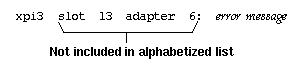
The firmware on the board has been corrupted; the driver calculated the checksum for the firmware and the calculation did not match the firmware's known correct checksum. Use smtconfig to disable then reenable the xpi# interface. If the problem persists, the board may need to be replaced. If so, contact the Silicon Graphics Technical Assistance Center.
xpi#: bad firmware version
See the message “firmware too old or new.”
xpi#: bad GIO ID hexnumeral
During probing, the first device on an FDDIXPress mezzanine board responded to the driver with an invalid identification. The indicated hexnumeral is not a valid identification for a GIO Bus device. This indicates a problem with the board. Contact the Silicon Graphics Technical Assistance Center.
xpi#: bad MAC address ##:##:##:##:##:##
The driver considers the board's MAC address invalid. The invalid value is displayed in canonical order and in hexadecimal format. Because of this problem, the driver has disabled the xpi# interface. Contact the Silicon Graphics Technical Assistance Center.
xpi#: bad MAC address checksum
The MAC address, stored within a chip on the board, has become corrupted. Contact the Silicon Graphics Technical Assistance Center.
xpi#: bad probe
The driver's attempt to probe an FDDIXPress mezzanine board failed to retrieve any valid information about the board. This may indicate an incompatibility between the software and the hardware. Use versions to verify that the version of FDDIXPress that is currently installed is the correct version for the installed board. Then, use autoconfig to rebuild the operating system to include the FDDIXPress driver, and reboot the system to start using the new driver. If the problem reoccurs, contact the Silicon Graphics Technical Assistance Center.
xpi#: bad second GIO ID hexnumeral
During probing, the second FDDI device on an FDDIXPress mezzanine board responded to the driver with an invalid identification. The indicated hexnumeral is not a valid identification for a GIO Bus device. This indicates a problem with the board. Contact the Silicon Graphics Technical Assistance Center.
xpi#: board asleep at linenumber with curaddr not lstaddr
The board is not responding. This does not indicate a serious problem, but should appear very infrequently. Each time this message occurs during normal operation, the driver attempts to reset the board. If the message appears only occasionally and the driver successfully resets the board and it functions, you do not need to do anything. For an FDDIXPress DAS board installed into an Indigo or Indy workstation, use the SMT Information Report from the smtstat -s command to verify that the board's “station type” is being identified properly as DAS (not SAS). If the board is listed as SAS, the daughter card on the FDDIXPress board may be loose.
If the message occurs frequently or if the board does not function after the message has been displayed, it is possible the board is defective. Contact the Silicon Graphics Technical Assistance Center.
xpi#: cannot handle address family
While attempting to send a packet, the driver encountered an unknown address family. The known address families are IP (inet family, which includes TCP and UDP), SDL (supporting the data link provider interface), unspecified (for example, an ARP packet), and raw. Any other address will cause this error message to be displayed. The application that made the transmission request should be altered to use destination addresses for known address families. Nothing is wrong with the FDDIXPress driver or board.
xpi#: ELM programming errors hexaddress
While checking the status of the FDDIXPress board, the system found a problem with the ELM chip. Contact the Silicon Graphics Technical Assistance Center.
xpi#: extra board
The driver found that too many FDDIXPress mezzanine boards are installed. The extra board has not been initialized and is not operational. Driver functionality is not affected by this extra board.
xpi#: extra board in slot #
The driver found that too many FDDIXPress boards are installed in this system. The indicated board has not been initialized and is not operational. Driver functionality is not affected by this extra board.
xpi#: failed to allocate interrupt
The driver was unable to program the DANG chip on the FDDIXPress mezzanine board to handle interrupts. Contact the Silicon Graphics Technical Assistance Center.
xpi#: failed to get MAC address
The driver could not read the MAC address from the board. It is possible that the FDDIXPress board is not firmly seated into its option slot on the CPU board. Follow the instructions to reinstall the board. If this error message continues to be displayed, contact the Silicon Graphics Technical Assistance Center.
xpi#: failed to reset
The driver attempted to reset the board, but the board did not respond. Use smtconfig to disable then reenable the xpi# interface. If the message appears again, halt or shut down the system, turn off the power, and turn the power back on. If the message continues to be displayed, it is possible that the board is not seated firmly into its connector on the CPU board. Follow the instructions to reinstall the board; verify that the FDDIXPress board is firmly seated in the option slot connector. If the problem persists, contact the Silicon Graphics Technical Assistance Center.
xpi#: failure
The driver has determined that the board is dead. Contact the Silicon Graphics Technical Assistance Center.
xpi#: digit false interrupts
The driver has experienced the indicated number of unaccountable (false) interrupts. The interrupt count has been reset and the driver is continuing to function as usual. A single occurrence or infrequent display of this message is not a problem. However, if the message is displayed repeatedly, power cycle the system to reset the board. If this does not resolve the problem, contact the Silicon Graphics Technical Assistance Center.
xpi#: firmware too old or new
The driver is not compatible with the firmware on the board. This error message is a problem only in the three situations:
when the message is displayed every time the system is rebooted
when the system fails to load (write) new firmware onto the board immediately after it displays this message
You know the system is writing new firmware when it displays the message Warning: Writing EEPROM. Do not reset the system until finished. ............
Finished.
when the message is followed by other error messages
If any of the above three conditions occur, use smtconfig to disable then reenable the xpi# interface. If smtconfig cannot be invoked or if the problem persists, reinstall the FDDIXPress software, invoke the command /etc/autoconfig to rebuild the operating system, then reboot the system. Upon rebuilding the operating system, be sure to answer y, when prompted with Automatically reconfigure the operating system (y or n)?
If this error message continues to be displayed, contact the Silicon Graphics Technical Assistance Center.
xpi#: FSI internal error
While checking the status of the FDDIXPress board, the system found and recovered from a problem with the FSI component. Contact the Silicon Graphics Technical Assistance Center.
xpi#: impossible output checksum
While attempting to calculate the checksum for a transmit packet, the driver encountered a protocol for which it does not perform checksumming. There is no malfunction; the packet was transmitted.
xpi#: MAC programming error hexaddress
While checking the status of the FDDIXP board, the system found a problem with the MAC chip. Contact the Silicon Graphics Technical Assistance Center.
xpi#: missing
The operating system (kernel) has been configured with a driver for an FDDIXPress board, but the board is not responding. The board may have never been installed, it may have been removed, it may be loose from its connection to the system, or it may be dysfunctional.
If the board has not yet been installed, follow the instructions to install it.
If the board has been removed, the driver should be removed from the configured operating system (kernel). Use these commands to rebuild the operating system:
% /sbin/su
Password: thepassword
# /etc/autoconfig
...
Automatically reconfigure the operating system (y or n)? y
...
# /etc/reboot
If the board is installed, it may be loose. Follow the installation instructions to reinstall it. Take extra precautions to seat its connectors firmly. If this error message continues to be displayed, contact the Silicon Graphics Technical Assistance Center.
xpi#: missing first PHY card
The lower daughter card (for example, the hardware servicing xpi0 or xpi2) on the FDDIXPress mezzanine board did not respond to probing. Contact the Silicon Graphics Technical Assistance Center.
xpi#: missing from slot #
The board installed in the indicated slot did not respond to the driver's probe for information. The board may not be installed, it may not be seated firmly into it connection to the backplane, or it may be dysfunctional. Reinstall the board, taking extra care to seat it firmly. If the problem persists, contact the Silicon Graphics Technical Assistance Center.
xpi#: missing second PHY card
The upper daughter card (for example, the hardware servicing xpi1 or xpi3) on the FDDIXPress mezzanine board did not respond to probing. Contact the Silicon Graphics Technical Assistance Center.
xpi#: no memory
The driver was unable to allocate memory for use by an FDDIXPress (xpi) interface. This does not indicate a problem with FDDIXPress. A shared system resource is unavailable.
xpi#: no memory for frame filter
The driver was unable to allocate memory for use by an FDDIXPress (xpi) interface. This does not indicate a problem with FDDIXPress. A shared system resource is unavailable.
xpi#: no memory for slot #
The driver was unable to allocate memory for use by an FDDIXPress (xpi) interface. This does not indicate a problem with FDDIXPress. A shared system resource is unavailable.
xpi#: not an FDDI board in slot #
The board that the driver found in the slot indicated is not an FDDIXPress board.
xpi#: present
When resetting the board, the driver found the board. This message is displayed only when the showconfig flag is set during the boot. This message does not indicate any problem.
xpi#: second probe failed
The driver's attempt to probe the second FDDI device (for example, xpi1 or xpi3) on an FDDIXPress mezzanine board failed to retrieve any valid information. This may indicate an incompatibility between the software and the hardware. Use versions to verify that the version of FDDIXPress that is currently installed is the correct version for the installed board. Then, use autoconfig to rebuild the operating system to include the FDDIXPress driver, and reboot the system to start using the new driver. If the problem reoccurs, contact the Silicon Graphics Technical Assistance Center.
The error messages described in this section are produced by the ipg driver included in FDDIXPress 3.6. Other releases may have additional messages not found here.
The Equipped Device Table (EDT) entry for the FDDIXPress board is incorrect. This is caused by conflicting or duplicate lines in the file /usr/sysgen/system. Remove all edits that you have made to this file. Then reboot the system to rebuild the operating system (kernel) and reboot it again to start using the new operating system.
ipg#: bad NVRAM contents
During startup, the driver attempted to read the contents of the board's non-volatile read-only memory (NVRAM) and found it corrupted. The FDDIXPress board is dysfunctional. Contact the Silicon Graphics Technical Assistance Center.
ipg#: board asleep at linenumber with curaddr
The board is not responding. This does not indicate a serious problem, but should appear very infrequently. Each time this message occurs during normal operation, the driver attempts to reset the board. If the message appears only occasionally and the driver successfully resets the board and it functions, you do not need to do anything. If the message occurs frequently or if the board does not function after the message has been displayed, it is possible the board is defective. Contact the Silicon Graphics Technical Assistance Center.
ipg#: cannot handle address family
While attempting to send a packet, the driver encountered an unknown address family. The known address families are IP (inet family, which includes TCP and UDP);, SDL (supporting the data link provider interface); unspecified (for example, an ARP packet); and raw. Any other type of address will cause this error message to be displayed. The application that made the transmission request should be altered to use destination addresses for known address families. Nothing is wrong with the FDDIXPress driver or board.
ipg#: download failed with hexnumeral hexnumeral
While the driver was attempting to start the board, it failed to successfully write into the board's memory. The board is dysfunctional. Contact the Silicon Graphics Technical Assistance Center.
ipg#: duplicate EDT entry
The Equipped Device Table (EDT) entry for the FDDIXPress board is a duplicate. This is caused by conflicting or duplicate lines in the file /usr/sysgen/system. Remove all edits that you have made to this file. Then use /etc/autoconfig to rebuild the operating system (kernel), and reboot the system to start running the new operating system.
ipg#: failed to get NVRAM
During startup, the driver was unable to read the FDDIXPress board's memory. The board may be dysfunctional. Contact the Silicon Graphics Technical Assistance Center.
ipg#: failed to reset
The driver attempted to reset the board, but the board did not respond. Use smtconfig to disable then reenable the ipg# interface. If the message appears again, halt or shut down the system, turn off the power, then turn the power back on. If the message continues to display, it is possible that the board is not seated firmly into its connection. Follow the instructions to reinstall the board; verify that the FDDIXPress board is firmly seated. If the problem persists, contact the Silicon Graphics Technical Assistance Center.
ipg#: firmware failed to start: sig=hexnum flag=hexnum
When the driver attempted to start the firmware on the board, it failed to start. The board is dysfunctional. Contact the Silicon Graphics Technical Assistance Center.
ipg#: digit
During an attempt to communicate with the FDDIXPress board (for synchronization or to process an incoming frame), the driver determined that the board is dysfunctional. Contact the Silicon Graphics Technical Assistance Center.
ipg#: missing
The operating system (kernel) has been configured with a driver for an FDDIXPress board, but the board is not responding. The board may have never been installed, it may have been removed, it may be loose from its connection to the system, or it may be dysfunctional.
If the board has not yet been installed, follow the instructions to install it.
If the board has been removed, the driver should be removed from the configured operating system (kernel). Use these commands to rebuild the operating system:
% su
Password: thepassword
# /etc/autoconfig
...
Automatically reconfigure the operating system (y or n)? y
...
# /etc/reboot
If the board is installed, it may be loose. Follow the instructions to reinstall it. Take extra precautions to seat its connectors firmly. If this error message continues to be displayed, contact the Silicon Graphics Technical Assistance Center.
ipg#: no interrupt vector
When preparing to reset the FDDIXPress board, the driver did not obtain a necessary piece of information (how to contact the board). The failure was due to a problem with the system or the software (not with the FDDIXPress board). The FDDIXPress software may not be complete or correct; the operating system may have a problem. Reinstall the software that is appropriate for the installed FDDIXPress board. If this does not remedy the problem, contact the Silicon Graphics Technical Assistance Center.
ipg#: PIO map failed
When preparing to reset the board, the driver could not obtain necessary information about the board. The failure was due to a problem with the system or the software (not with the FDDIXPress board). The FDDIXPress software may not be complete or correct; the operating system may have a problem. Reinstall the software that is appropriate for the installed FDDIXPress board. If this does not remedy the problem, contact the Silicon Graphics Technical Assistance Center.
ipg#: present
When resetting the board, the driver found the board. This message is displayed only when the showconfig flag is set during the boot. This message does not indicate any problem.
ipg#: stray interrupt
The driver received a message (an interrupt) from the board when it was not expecting one. This occurs when the board and driver are not synchronized with each other. This message does not indicate a problem if the FDDI network interface subsequently becomes functional. If the message appears with each restart of the network interface and if the FDDI network interface does not become functional, the board is probably dysfunctional. In this situation, contact the Silicon Graphics Technical Assistance Center.
ipg#: unlikely NVRAM MAC address
During startup, the driver read the MAC address from the board's non-volatile read-only memory (NVRAM) and encountered an address that it believes is incorrect. The NVRAM data is probably corrupted. This is cause for concern, since an incorrect MAC address can cause serious problems for a local area network. Contact the Silicon Graphics Technical Assistance Center.
The error messages described in this section are produced by the rns driver included in FDDIXPress 6.3. Other releases may have additional messages, not included here.
The rns error messages indicate the location of the FDDIXPress board, as illustrated in Figure A-3. The bus# identifies the PCI bus where the FDDI card is connected and the dev# is the PCI device number of the card on the bus.
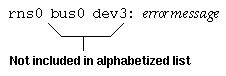
The hardware location information is not included in the alphabetized messages in this section.
The FDDIXPress driver has encountered an internal problem. Please contact the Silicon Graphics Technical Assistance Center.
rns#: bad unit number #
There is a problem in the IRIX software. Please contact the Silicon Graphics Technical Assistance Center.
rns#: CAMEL NP error
The FDDIXPress driver has encountered an internal problem. Please contact the Silicon Graphics Technical Assistance Center.
rns#: cannot handle address family x
There is a problem in the IRIX software. Please contact the Silicon Graphics Technical Assistance Center.
rns#: Can't alloc something
The driver was unable to allocate memory for use by the rns# interface. This does not indicate a problem with the FDDIXPress driver. A shared system resource is not available.
rns#: Can't get MAC address
The driver could not read the MAC address from the card. It is possible that the FDDIXPress card is not firmly seated into its option slot. Follow the instructions to reinstall the card. If this error message continues to display, contact the Silicon Graphics Technical Assistance Center.
rns#: Can't handle address family
While attempting to send a packet, the driver encountered an unknown address family. The known address families are IP (inet family, which includes TCP and UDP); SDL (supporting the data link provider interface); unspecified (for example, an ARP packet); and raw. Any other address causes this error message to display. The application that made the transmission request should be altered to use destination addresses for known address families. Nothing is wrong with the FDDIXPress driver or card.
rns#: Can't initialize card |
The driver attempted to reset the card, but the card did not respond. Use smtconfig to disable then reenable the rns# interface. If the message appears again, halt or shut down the system, turn off the power, and turn the power back on.
If the message continues to display, it is possible that the board is not seated firmly into its option slot. Follow the instructions to reinstall the card. If this error message continues to display, contact the Silicon Graphics Technical Assistance Center.
rns#: Can't install isr
There is a problem in the IRIX software. Please contact the Silicon Graphics Technical Assistance Center.
rns#: Corrupted read descriptor ring
The FDDIXPress driver has encountered an internal problem. Please contact the Silicon Graphics Technical Assistance Center.
rns#: Corrupted write descriptor ring
The FDDIXPress driver has encountered an internal problem. Please contact the Silicon Graphics Technical Assistance Center.
rns#: Extra card
The driver found too many FDDIXPress cards installed in this system. The indicated card has not been initialized and is not operational. Driver functionality is not affected by this extra card.
rns#: FSI host error
The FDDIXPress driver has encountered an internal problem. Please contact the Silicon Graphics Technical Assistance Center.
rns#: FSI internal error
While checking the status of the FDDIXPress card, the system found and recovered from a problem with the FSI component. Contact the Silicon Graphics Technical Assistance Center.
rns#: FSI port error
The FDDIXPress driver has encountered an internal problem. Please contact the Silicon Graphics Technical Assistance Center.
rns#: FSI ring error
The FDDIXPress driver has encountered an internal problem. Please contact the Silicon Graphics Technical Assistance Center.
rns#: hwgraph_char_device_add
There is a problem in the IRIX software. Please contact the Silicon Graphics Technical Assistance Center.
rns#: IFDDI CMR asleep
The FDDIXPress driver has encountered an internal problem. Please contact the Silicon Graphics Technical Assistance Center.
rns#: IFDDI CMR broken
The FDDIXPress driver has encountered an internal problem. Please contact the Silicon Graphics Technical Assistance Center.
rns#: IFDDI FCR fetch asleep
The FDDIXPress driver has encountered an internal problem. Please contact the Silicon Graphics Technical Assistance Center.
rns#: IFDDI FCR stor asleep
The FDDIXPress driver has encountered an internal problem. Please contact the Silicon Graphics Technical Assistance Center.
rns#: MAC programming error
The FDDIXPress driver has encountered an internal problem. Please contact the Silicon Graphics Technical Assistance Center.
rns#: MAC address xx:xx:xx:xx:xx:xx
The system has been started with "showconfig=1" command.
rns#: no memory
There is a problem in the IRIX software. Please contact the Silicon Graphics Technical Assistance Center.
rns#: no memory for driver
There is a problem in the IRIX software. Please contact the Silicon Graphics Technical Assistance Center.
rns#: no memory for frame filter
There is a problem in the IRIX software. Please contact the Silicon Graphics Technical Assistance Center.
rns#: port error type #
The FDDIXPress driver has encountered an internal problem. Please contact the Silicon Graphics Technical Assistance Center.
rns#: rings not 4GB aligned at 0x%x
There is a problem in the IRIX software. Please contact the Silicon Graphics Technical Assistance Center.
rns#: stray interrupt
The FDDIXPress driver has encountered an internal problem. Please contact the Silicon Graphics Technical Assistance Center.
rns#: wrong vhdl
There is a problem in the IRIX software. Please contact the Silicon Graphics Technical Assistance Center.