This guide shows you how to install your SGI Video BreakOut Box (VBOB). The following topics are covered:
Chapter 1, “VBOB Site Preparation and Specifications”, provides environmental and technical information needed to properly set up and configure the VBOB enclosure.
Chapter 2, “Rackmounting and Hardware Overview”, explains how to mount the VBOB in a rack and provides a technical overview of the system components.
Chapter 3, “VBOB Chassis Connectors and Cabling”, describes all the connectors and LEDs located on the back of the VBOB chassis.
Chapter 4, “VBOB Software”, describes the VBOB software.
Appendix A, “Regulatory Specifications”, lists all regulatory information related to use of the VBOB in the United States and other countries.
The VBOB is shipped for rackmounting in an SGI 3000 series rack or a user-supplied rack. It can also be used as a table-top unit. The chassis is built in a 2U form factor. Some of the VBOB's features include the following:
Figure 1 shows the VBOB front panel.

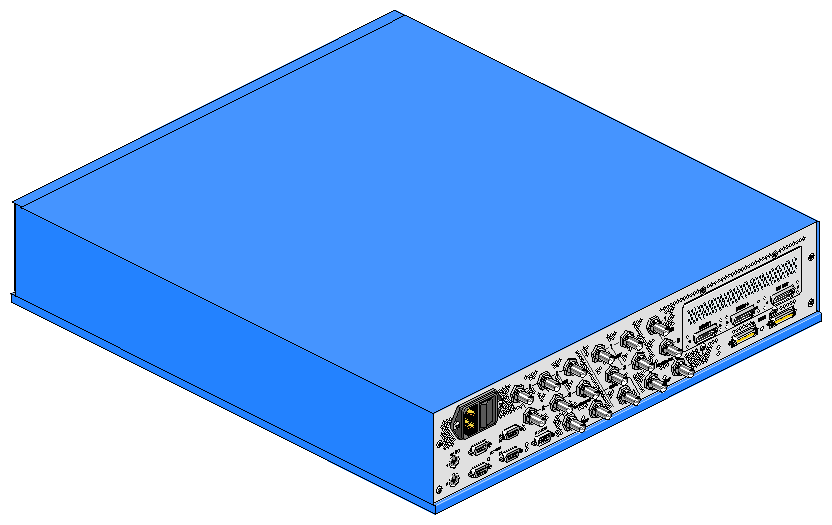
Figure 2 shows the VBOB rear panel. To see the labeling of the rear panel connectors, see “Chassis Connectors” in Chapter 3.
SGI manuals are available in various formats on the Web at:
http://techpubs.sgi.com/library
Enter a keyword search, or search by title to find the information or manual you need.
This guide uses the following conventions:
Document titles are in italics.
Names of files appear in Courier.
References to chapters and sections within this guide are in quotation marks.
Characters that you type on your keyboard are in Courier bold.
Procedures are explained in numbered steps. When necessary, an explanation follows the step.
SGI provides a comprehensive
product support and maintenance program for its products. If you are in North America, contact the Technical Assistance Center at
+ 1 800 800 4SGI or your authorized service provider. If you are outside North America, contact the SGI subsidiary or authorized distributor in your country.
If you have comments about the technical accuracy, content, or organization of this document, please contact SGI. Be sure to include the title and document number of the manual with your comments. (Online, the document number is located in the front matter of the manual. In printed manuals, the document number is located at the bottom of each page.)
You can contact SGI in any of the following ways:
Send e-mail to the following address:
Use the Feedback option on the Technical Publications Library Web page:
Contact your customer service representative and ask that an incident be filed in the SGI incident tracking system.
Send mail to the following address:
Technical Publications
SGI
1600 Amphitheatre Pkwy., M/S 535
Mountain View, California 94043-1351Send a fax to the attention of “Technical Publications” at +1 650 932 0801.
SGI values your comments and will respond to them promptly.