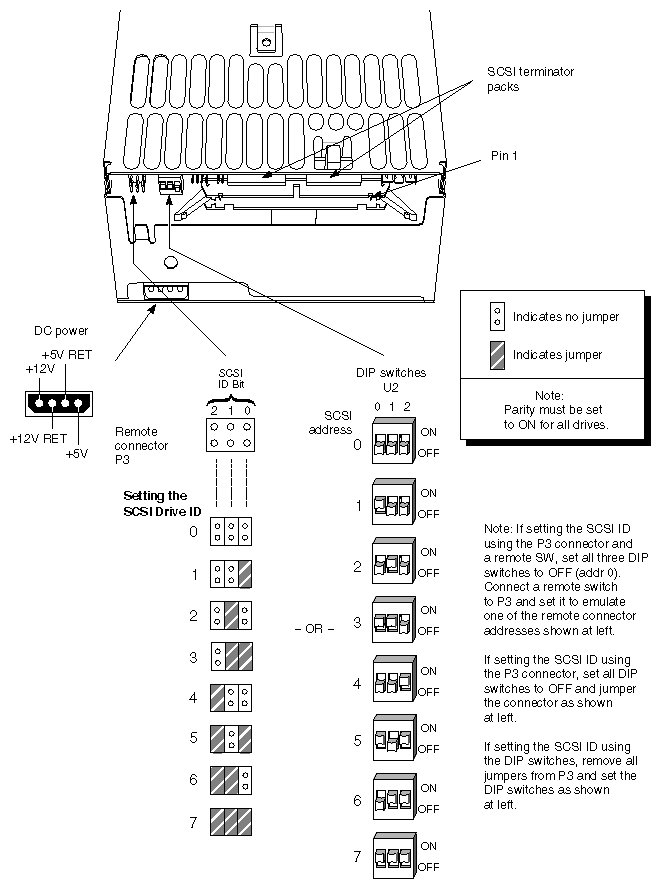
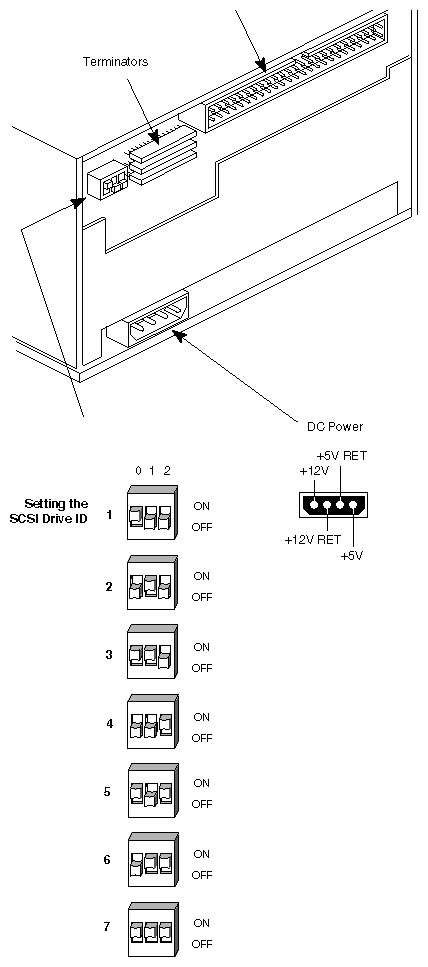
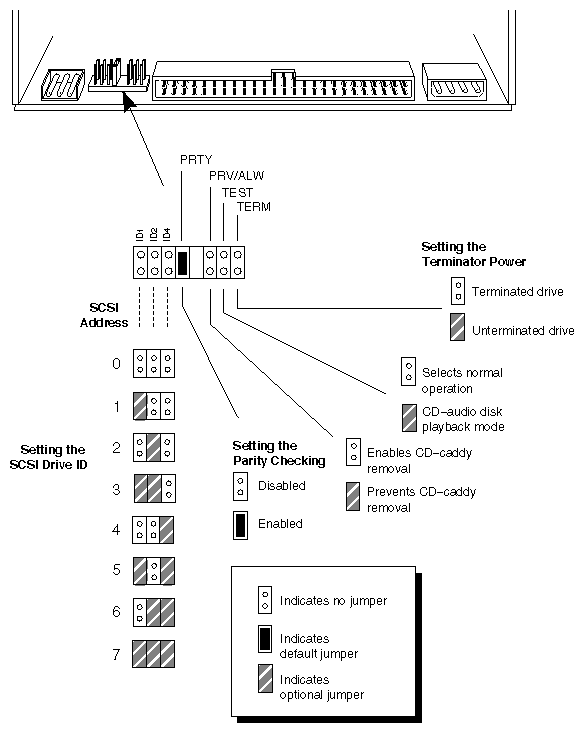
This chapter includes the specific jumpering information for Challenge and Onyx peripherals. You must set the appropriate device addresses on each device in your system, before installing the peripheral in the system.
 | Caution: SGI qualifies devices and their controllers using specific hardware and software releases for each component. SGI often requests specific software or hardware changes or enhancements to permit the device to operate correctly in the hardware and software environment. The peripherals listed in this chapter should not be considered a referral list for third-party device purchases. |
Certain drives, listed in Table 2-1, have default address numbering. If you are installing two devices with the same default address, you must physically change the address of one of the devices.
 | Note: In most cases, "high-end" drives are installed on sleds. The SCSI ID is selected by push button, and jumper selection of the ID is not needed. |
Disk drives are usually numbered up from 1, and tape and CD-ROM drives are usually numbered down from 7.
Table 2-1. Default Drive Addresses
Drive Type | Default Address |
|---|---|
Digital Linear Tape (DLT) drive | 6 |
QIC-150 and 1 GB SCSI tape drive | 7 |
8-mm tape and 4-mm DAT drives | 5 |
SCSI system hard disk | 1 |
CD-ROM drive | 4 |
| Note: When resolving device addressing conflicts, number the disk drives up from 1, and the tape and CD-ROM drives down from 7. |
Newer disk drives, organized by capacity, are shown on the following pages. Information is included about the following drives in Figure 2-1 through Figure 2-12. The standard hard system disks shipped with Challenge and Onyx rackmount and deskside systems are the Quantum 2.15 and 4.3 GB differential disks.
| Note: All drives have the parity jumper set to "on." |
Drives in Challenge and Onyx systems always use delayed motor start; therefore, the DMS jumper must always be set to delay.
Seagate ST4767N 655 MB SCSI Disk Drive
Seagate ST4766N 655 MB SCSI Disk Drive
Seagate ST41200N 1.05 GB SCSI Disk Drive
IBM 0663 1.2 GB SCSI-2 Half-Height Disk Drive
Seagate ST41650N 1.4 GB SCSI Disk Drive
IBM 0664 2.1 GB Diff/SE SCSI-2 System Disk Drive
IBM 0664 2.1 GB SCSI-2 Disk Configuration for CHALLENGEvault M
IBM 0663 2.1 GB (2-up) Stacked SCSI-2 Disk Package
IBM DFHS S2E and S4E 2.1 GB and 4.3 GB Differential SCSI-2 Disk Drives
Quantum XP32150S 2.15 GB Inch-High Disk Drive
Quantum XP34300S 4.3 GB Half-Height Disk Drive
Additional technical information on individual drives is available on the World Wide Web. At time of publication, the following sites listed OEM information:
Seagate—http://www.seagate.com/techsuppt/drivespecs
IBM—http://www.storage.ibm.com/storage/oem/menu1.htm
Quantum—http://www.quantum.com/products/hcsg/hcsg2.html
For information on drives via fax, the following numbers were active 24 hours each day at time of publication:
Quantum—1-800-434-7532 (USA); 49-69-509-10891 (Europe); 65-452-2544 (Asia/Pacific)
Seagate—1-408-438-2620 (USA); 44-62-847-7080 (Europe)
IBM—1-415-855-4773 (USA) (Overseas callers must call this number from a fax machine.)
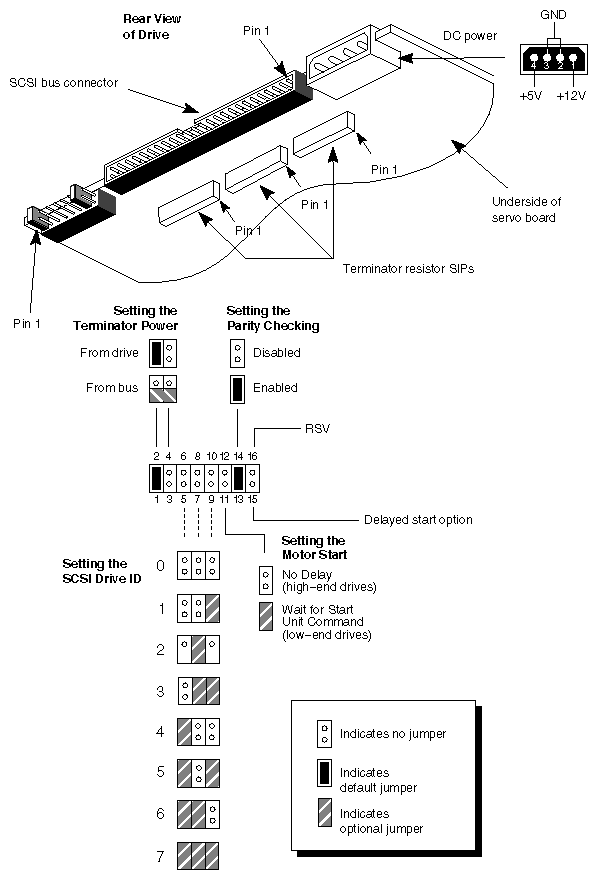
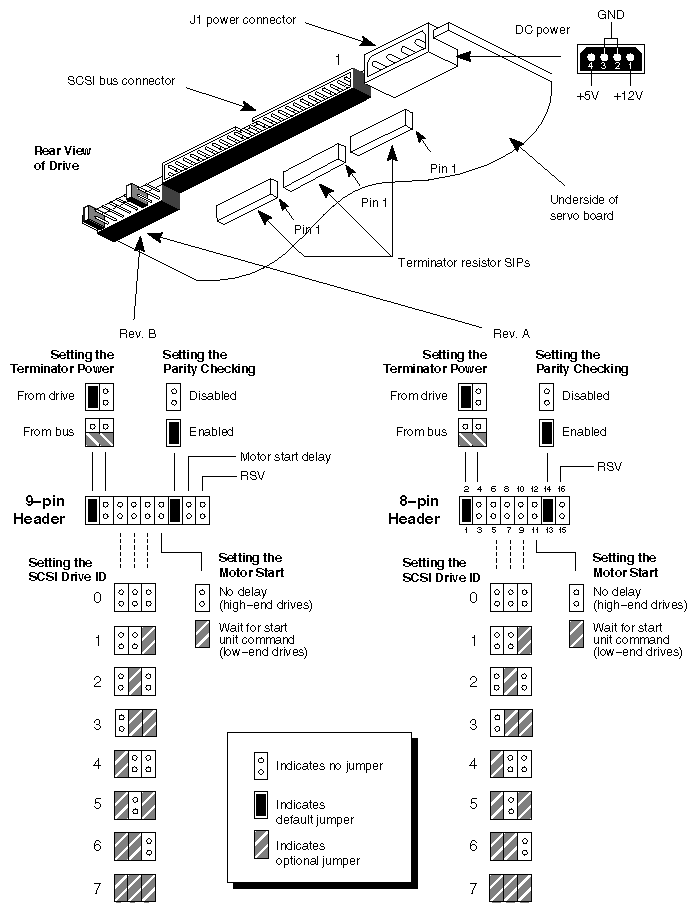
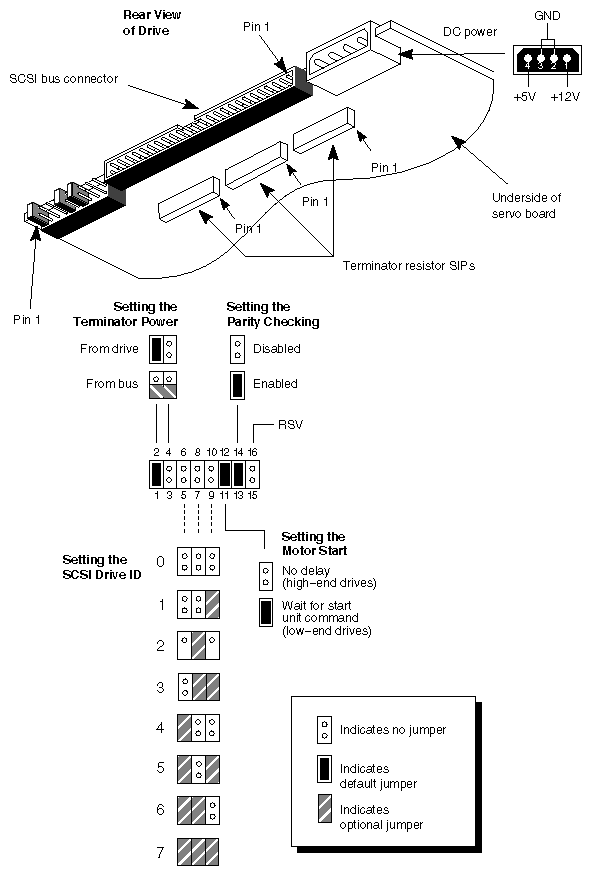
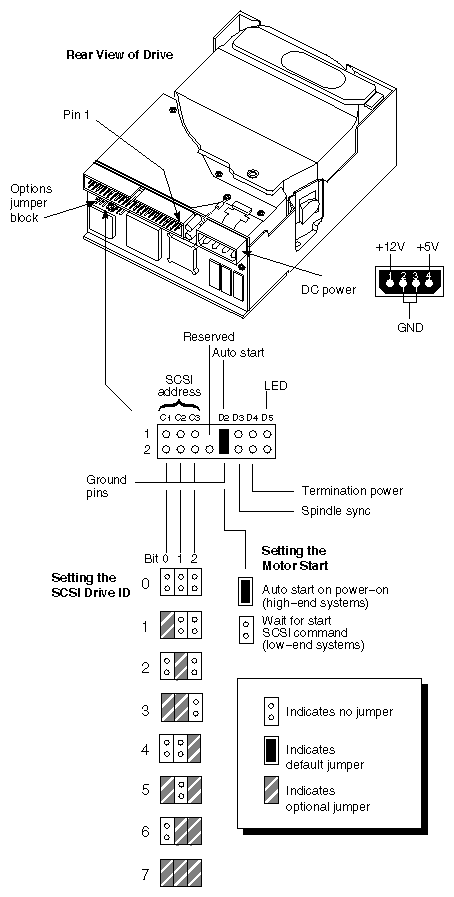
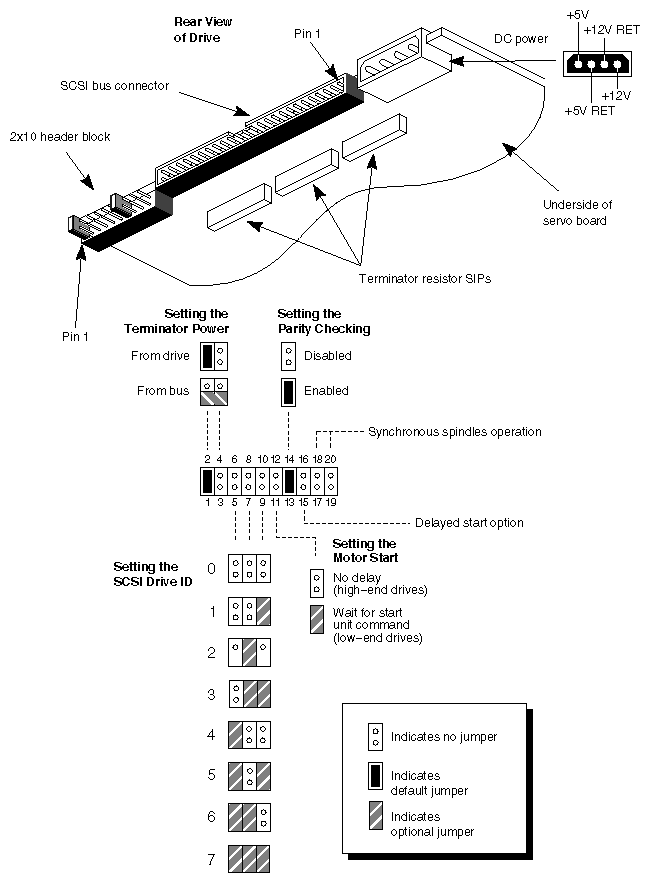
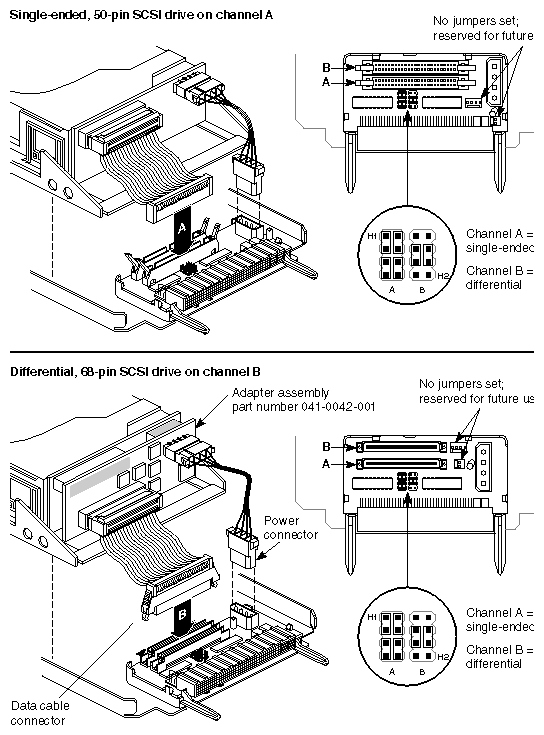
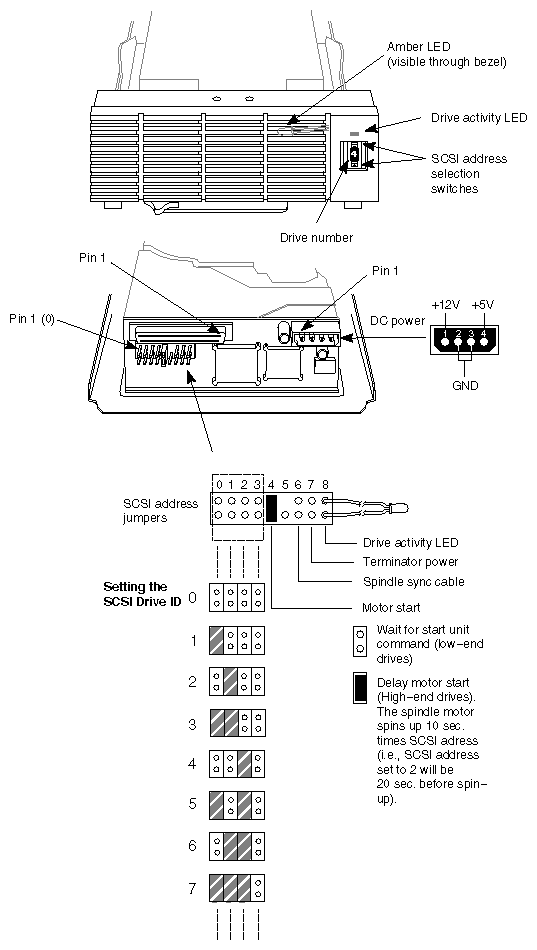
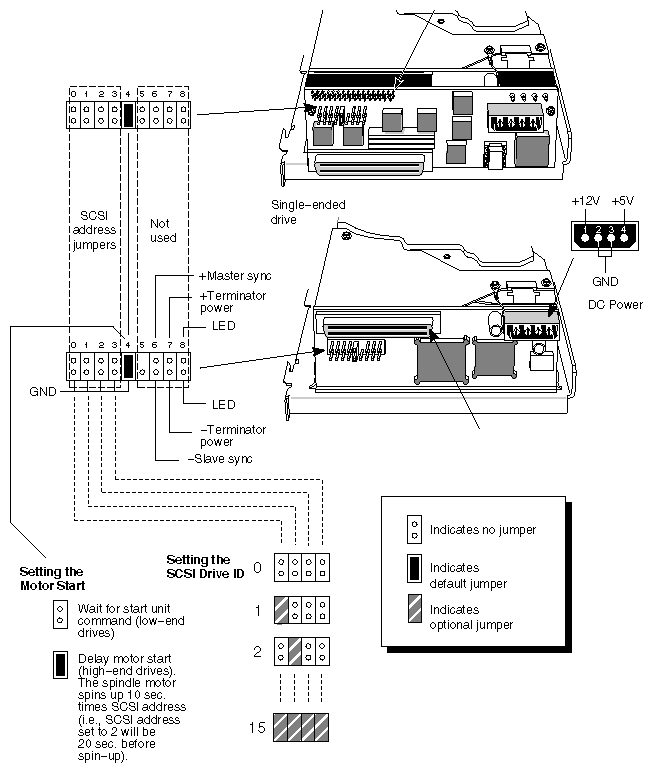
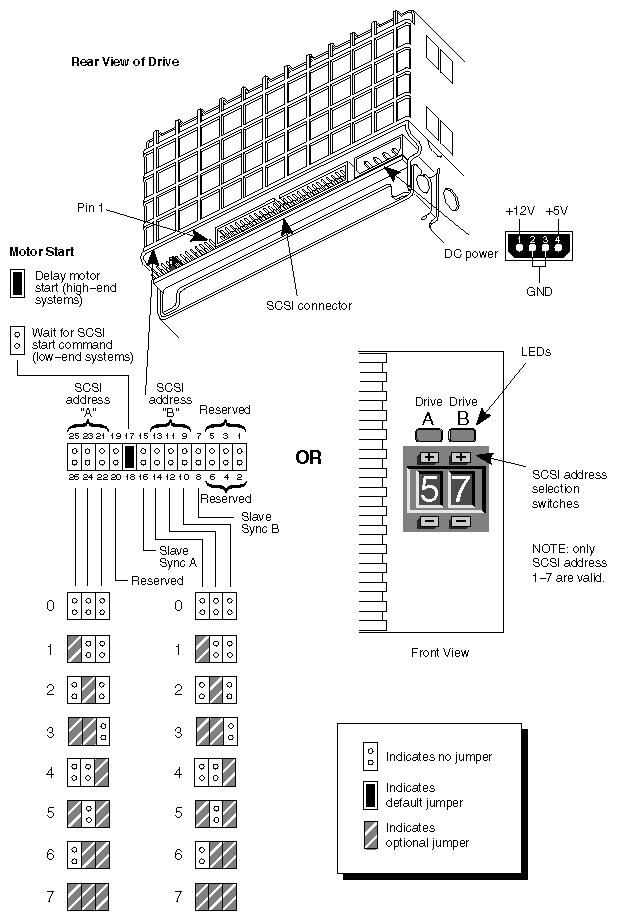
Figure 2-10. IBM DFHS Models S2E and S4E (Ultrastar) 2.1GB and 4.3GB Differential SCSI-2 Disk Drives
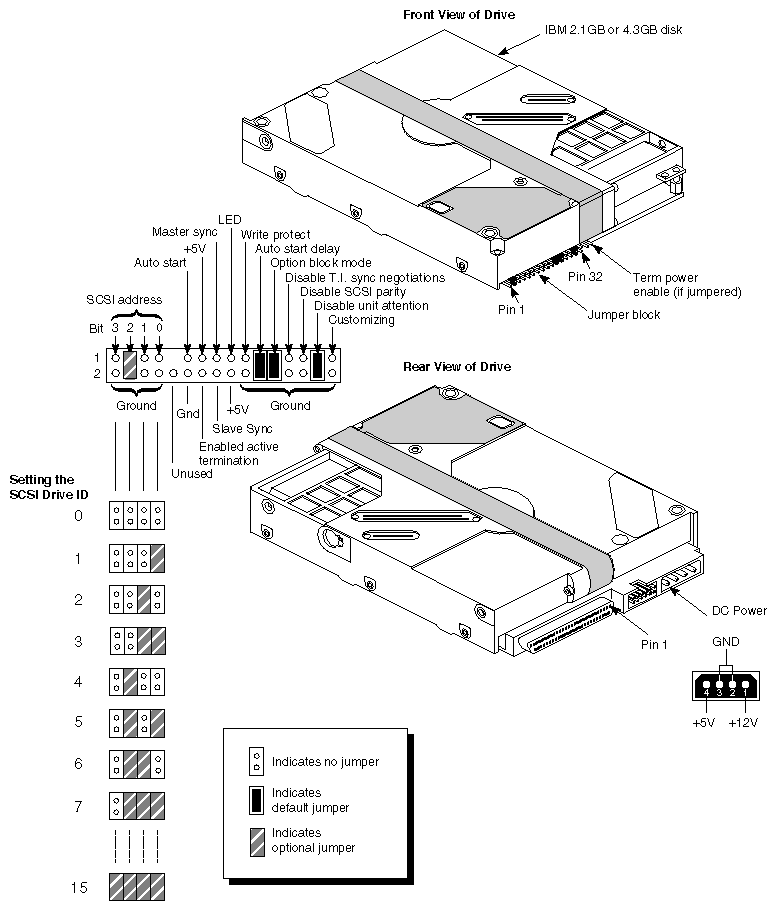 |
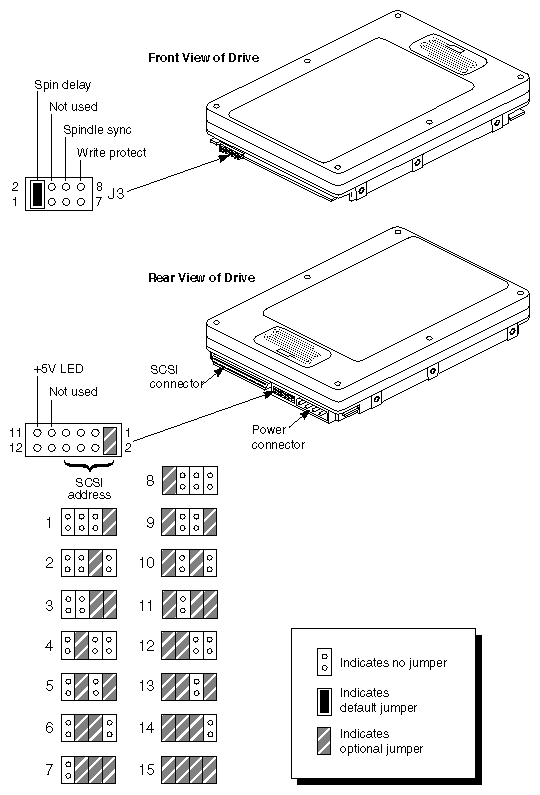
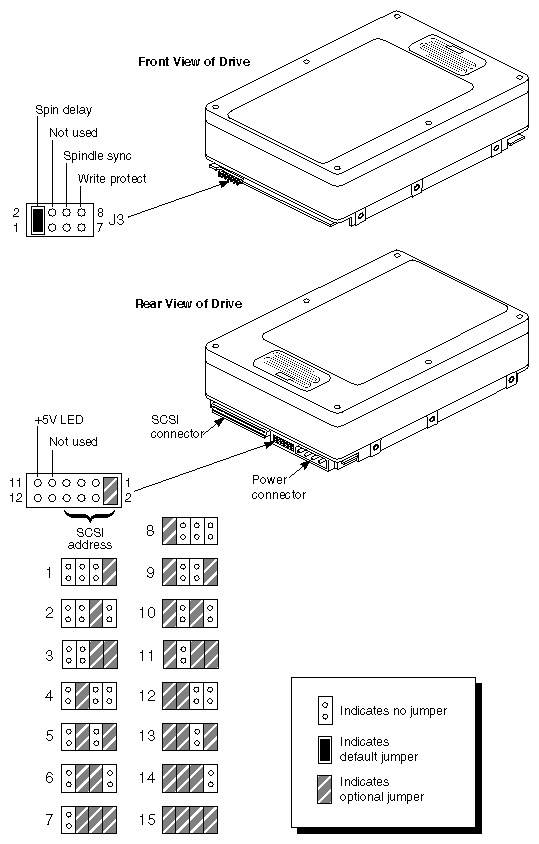
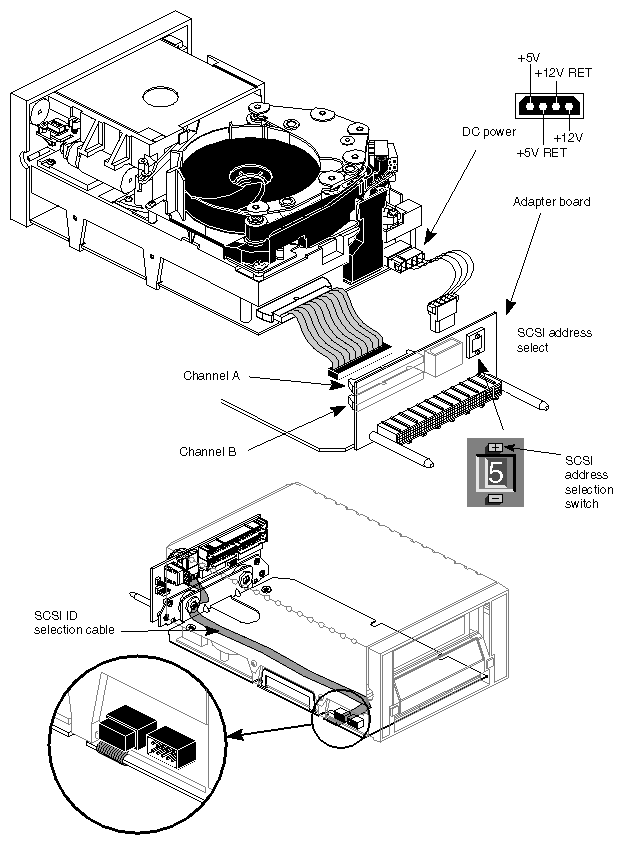
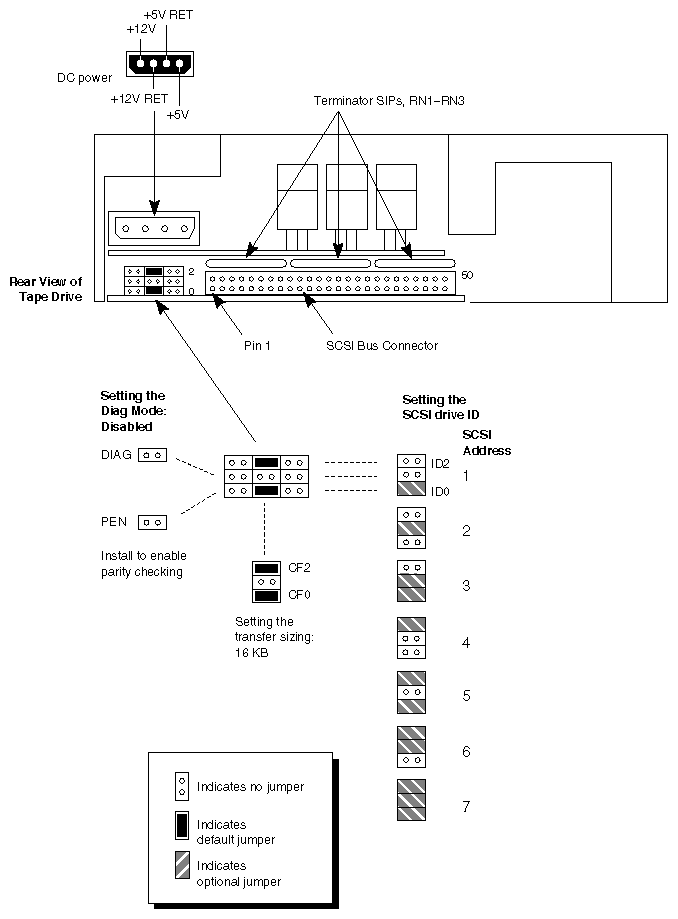
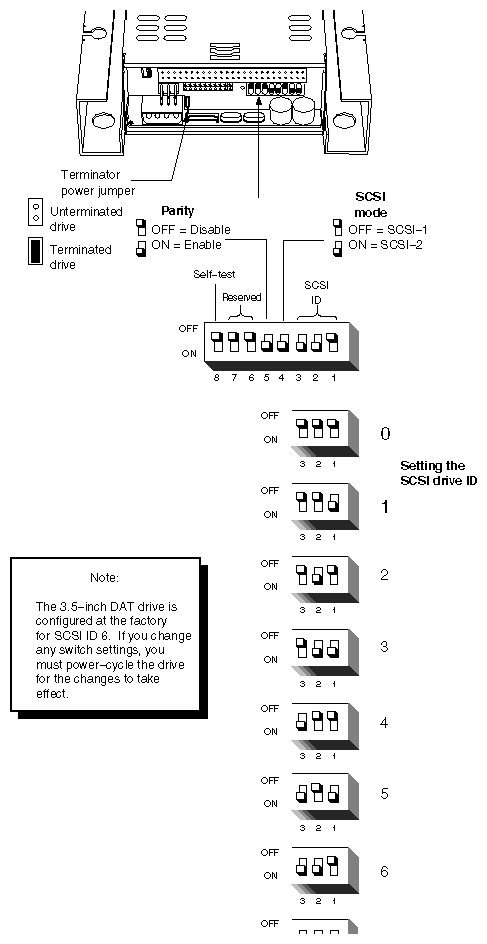
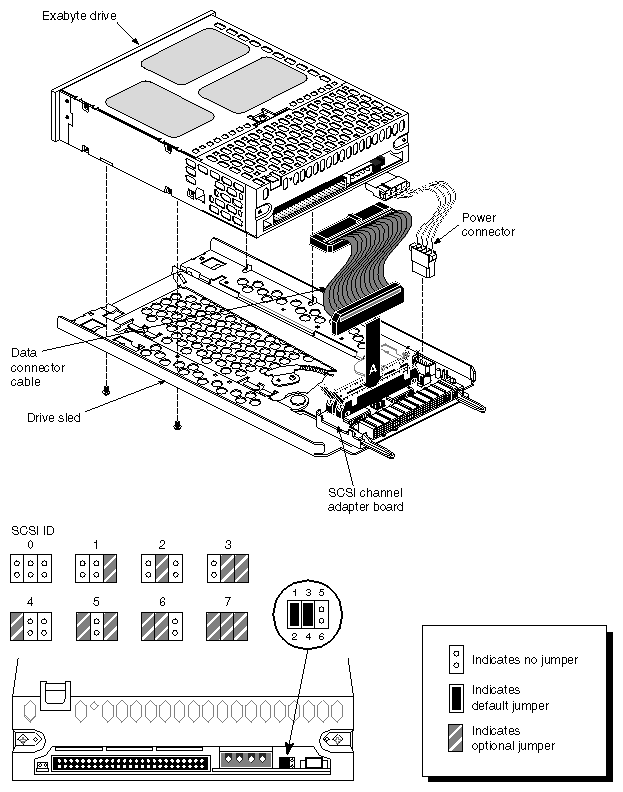
Figure 2-13 through Figure 2-19 contain information about the following drives:
10-GB Digital Linear Tape Drive (DLT)
Archive 150MB SCSI Tape Drive
Archive Python 4-mm SCSI DAT Drive
Exabyte EXB-8505 8-mm SCSI Tape Drive
Exabyte EXB-8500 8-mm SCSI Tape Drive
Exabyte EXB-8200 8-mm SCSI Tape Drive
Toshiba CD-ROM SCSI Drive
| Note: Proper jumpering for the CTD8000 (DDS-2) 4-mm internal SCSI DAT drive is illustrated in Figure 3-19 in the next chapter. |