This appendix contains a summary of the IRIS ATM installation for the different platforms.
Table A-1. IRIS ATM Hardware Configurations for Various Platforms
Platform | Maximum IRIS ATM Boards | Maximum IO4 Boards |
|---|---|---|
Challenge and POWER Challenge L Deskside | 6 | 3 |
Challenge and POWER Challenge XL Rackmount | 12 | 6 |
Onyx and POWER Onyx Deskside | 2 | 1 |
Onyx and POWER Onyx Rackmount | 8 | 4 |
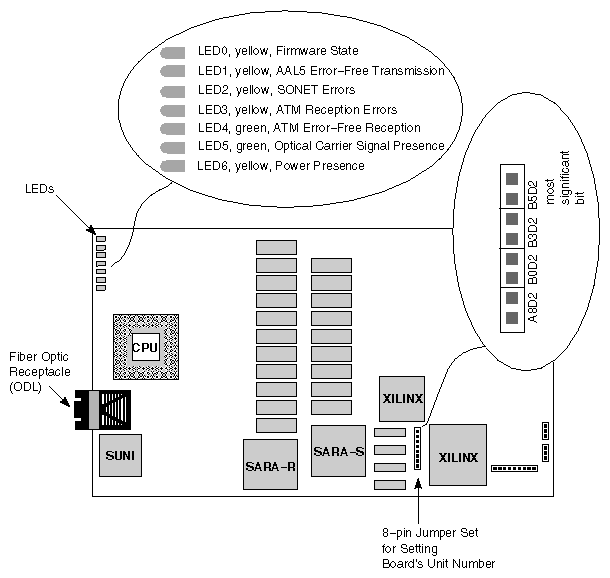
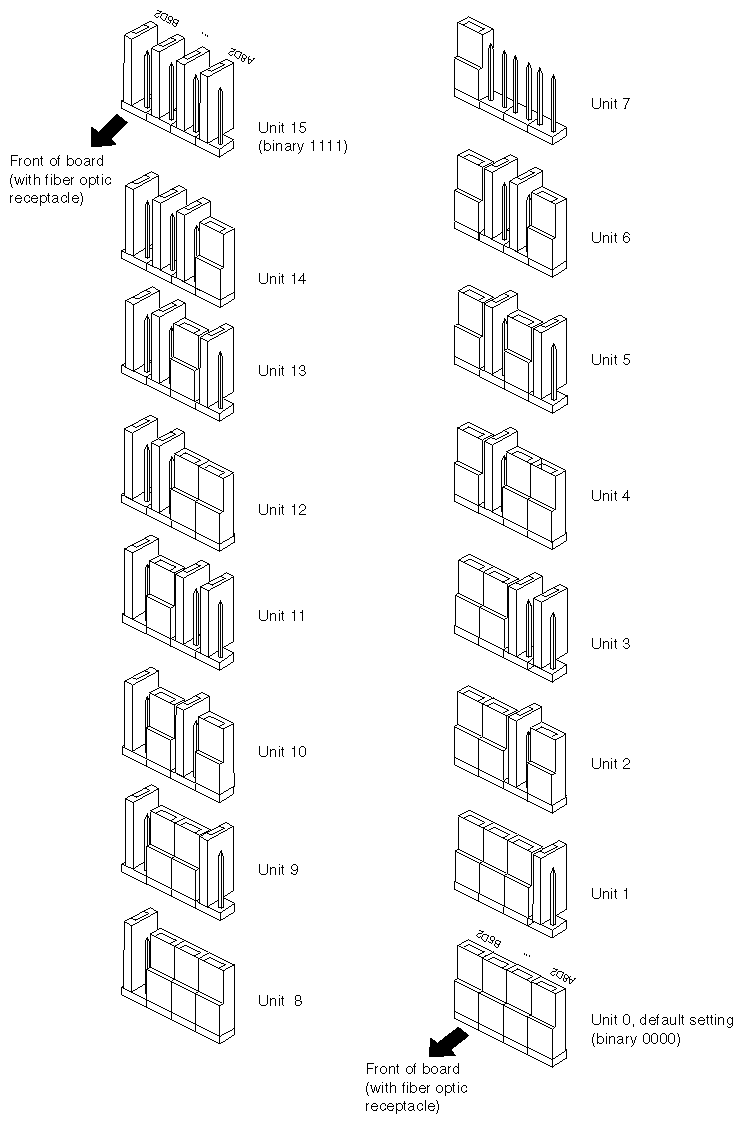
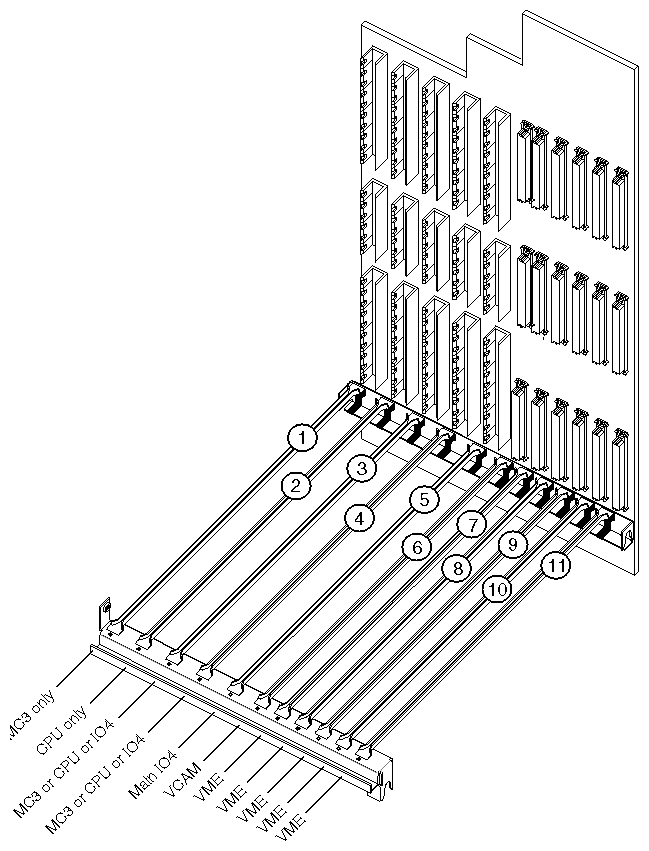
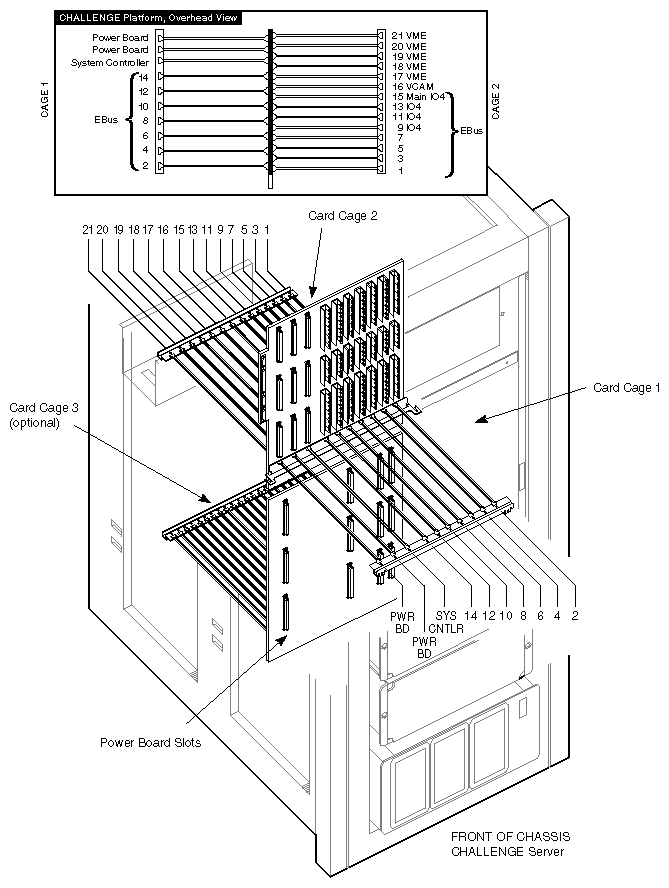
Table A-3. Slots for IRIS ATM Installation
Platform | Slots That Can Be Used |
|---|---|
CHALLENGE L Deskside | One upper or lower mezzanine slot on an IO4 board in slot 5, 4, or 3 |
CHALLENGE XL Rackmount | One upper or lower mezzanine slot on an IO4 board in slot 15, 13, 11, or 9 |
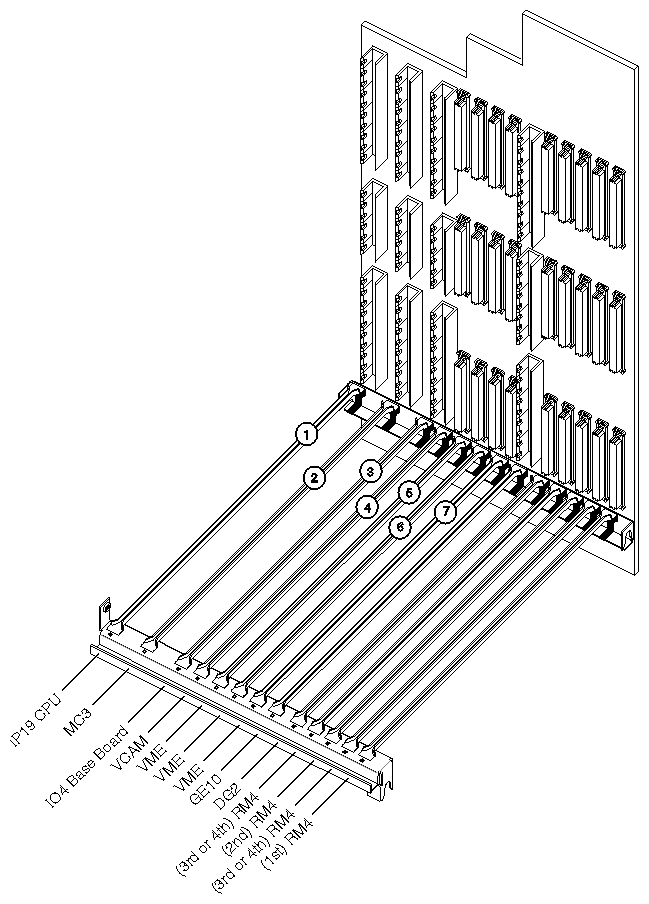
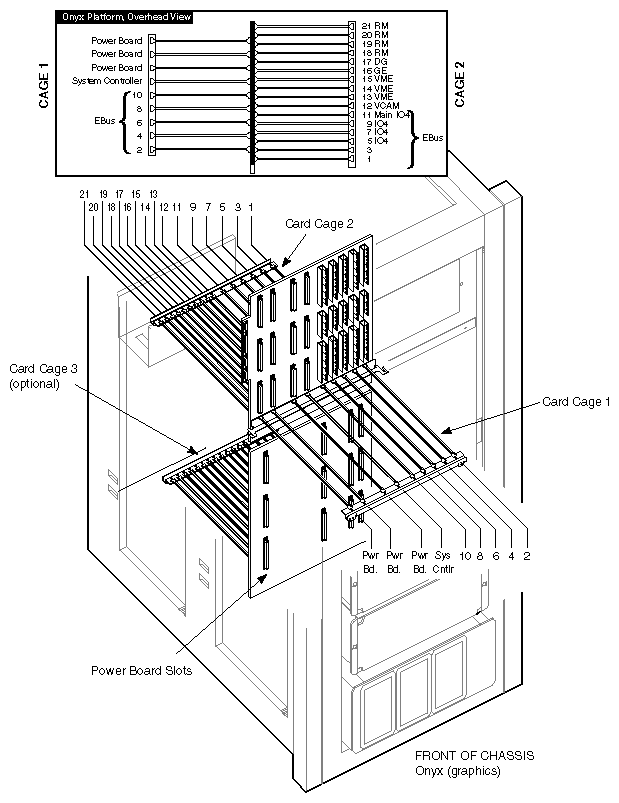
Onyx Deskside | One upper or lower mezzanine slot on IO4 board in slot 3 |
Onyx Rackmount | One upper or lower mezzanine slot on an IO4 board in slot 11, 9, 7, or 5 |
This section lists some of the error messages for which SSE troubleshooting procedures are recommended. The online IRIS ATM Configuration Guide contains a complete listing of error messages.
atmc#: no board signature! |
This message indicates a problem with the firmware currently running on the IRIS ATM board. Use the commands below to download new firmware:
%su Password: thepassword #/usr/etc/ifconfig atm# down #/usr/etc/atmconfig -i # download #/etc/reboot |
where atm# identifies each logical IP network interface that uses the problematic board and -i # identifies the problematic board unit (for example, 0 or 1).
If this does not resolve the problem, contact the Silicon Graphics Technical Assistance Center.
This interface has no MAC address. |
This message indicates that the board does not have a media access control (MAC) address burned into the PROM on the board. IRIS ATM cannot function without this address. Contact the Silicon Graphics Technical Assistance Center.