This chapter provides an overview of the Silicon Graphics Octane2 Duo option.
The Silicon Graphics Octane2 Duo option allows the connection of a second keyboard and a second mouse to an Octane2 workstation, thus allowing a Dual Head Octane2 workstation to be simultaneously used by two people.
In addition to adding connections for the keyboard and mouse, the upgrade kit also adds more main memory and an additional hard disk drive.
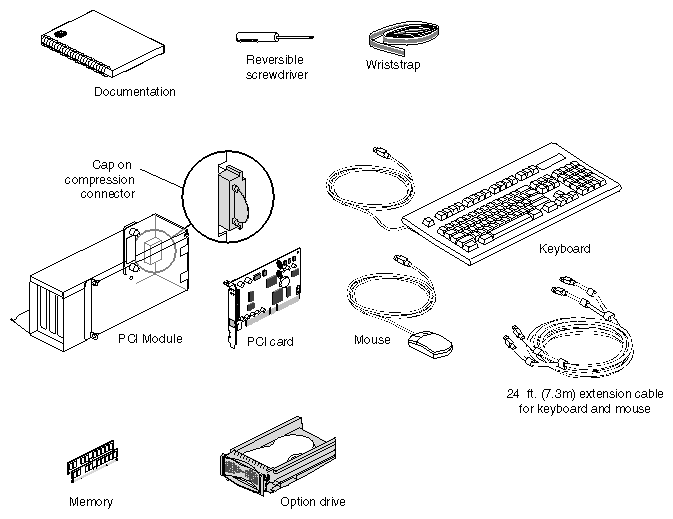
The Octane2 Duo upgrade kit contains the following items (illustrated in Figure 1-1):
The Silicon Graphics Octane2 Duo Installation Guide (this manual)
Screwdriver
Disposable wrist strap
PCI module (PCI card cage)
PCI card (with ports for keyboard, mouse, and Ethernet)
Keyboard
Mouse
24 foot (7.3 meter) extension cable for keyboard and mouse
Additional system memory
Additional internal hard disk drive (“option drive”)