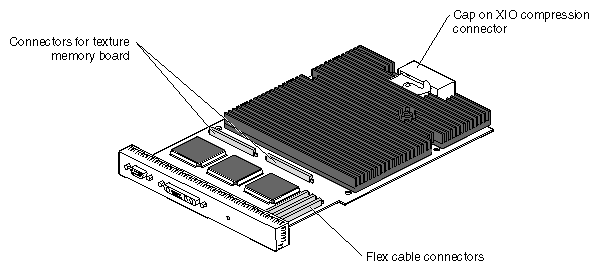
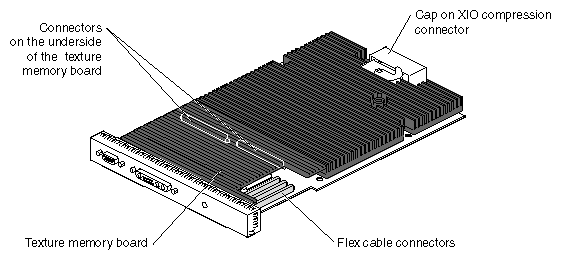
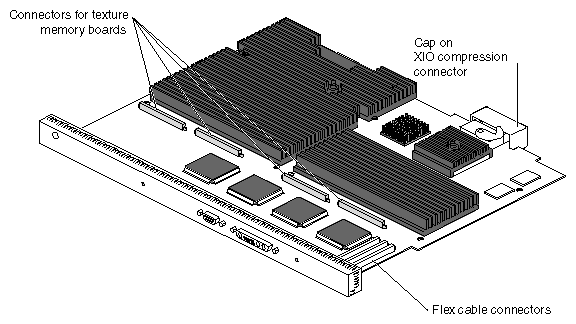
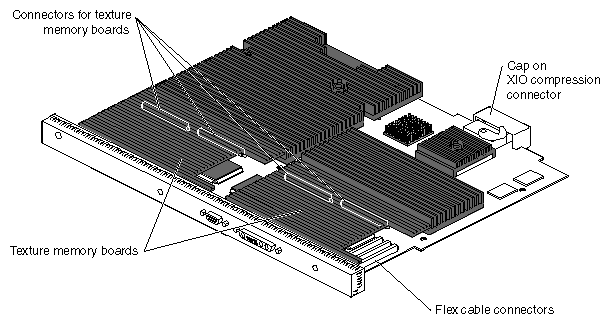
This appendix provides illustrations of the graphics boards for the OCTANE workstation.
The OCTANE SI and SE graphics boards, the SSI and SSE graphics boards, and the MXI and MXE graphics boards are physically identical. They differ only in functionality. To identify which version you have, follow these instructions:
From the Toolchest, open a UNIX shell.
At the prompt, type: hinv
Look for a line that begins with Graphics.
You see one of the following:
SI or ESI
SI with texture option or ESI with texture option
SSI or ESSI
MXI or EMXI
 | Note: MXI (or MXE) is an SSI (or SSE) with two texture memory boards installed. |
IF you see... | It is |
|---|---|
ESI | An SE graphics board |
ESSI | An SSE graphics board |
EMXI | An MXE graphics board |